This discussion has been locked.
You can no longer post new replies to this discussion. If you have a question you can start a new discussion

[7.403] WAN NIC Down after up2date to 7.403!

After installing the 7.403 up2date, my internet connection wouldn't come up.

It is completely possible that my ISP decided to wig out at the same time; I'm not sure.

My LAN was working, and it's the same model NIC as the WAN.

ethtool was showing the WAN NIC up and down, and ifconfig was showing it up and down and up with and without an IP.

the kernel log was repeating
2009:06:08-16:55:05 fw kernel: e1000e: eth0 NIC Link is Up 1000 Mbps Full Duplex, Flow Control: None

I messed with it for awhile and rebooted once and powered off once, but couldn't get it back up.
I'm now back on 7.402 after a re-install/restore, and it's working fine.

Question: did the network driver or anything else change in 7.403 that could cause something like this?

Thanks,
Barry


This thread was automatically locked due to age.

Parents
  • I tried the up2date again; lost network again... tried lowering the network link to 100 or 10mbps but it never worked... I could ping the gateway for short periods with about 90% loss, still kept seeing messages in the kernel log like
    2009:06:08-18:14:27 fw kernel: e1000e: eth0 NIC Link is Up 100 Mbps Full Duplex, Flow Control: None

    Thanks,
    Barry
  • I take it you are seeing the issue on the last machine listed in your signature... I've installed the 7.403 up2date on several different units that use the e1000 driver, but haven't seen that problem yet... do you see link issues on the ports if you connect them to a different switch?

    CTO, Convergent Information Security Solutions, LLC

    https://www.convergesecurity.com

    Advice given as posted on this forum does not construe a support relationship or other relationship with Convergent Information Security Solutions, LLC or its subsidiaries.  Use the advice given at your own risk.

  • Hi Bruce,
    Locking speed and duplex didn't help me, even at 10mbps.

    G22, Dave, et al., please open tickets with Astaro so they can track this down.

    Thanks,
    Barry
  • Hi Bruce,
    Locking speed and duplex didn't help me, even at 10mbps.

    G22, Dave, et al., please open tickets with Astaro so they can track this down.

    Thanks,
    Barry


    Hi Barry,

    Thanks for the suggestion.  I opened a support ticket (CaseID 00099278).  Immediately after I opened the ticket I was directed to this link that recommends to implement the same fix I did already.

    Cheers!

    Dave - A longtime home user
    Looking forward to 7.404
  • Cable Interface fails after 7.403 up2date 
    Product Version: Astaro Security Gateway Version 7.403
     
    Symptom:
    Immediately after the 7.403 up2date is applied the external interface WAN connection is unavailable.

    Occurs only when external interface is of type:  Cable Modem (DHCP)
    Cause:
    ASG after up2date is applied may not be running the DHCP service needed to pull a new IP address from the ISP.
    Resolution:
    Graceful shutdown of ASG software.
    -Goto Management>>Shutdown/Restart
    -Select Shutdown (Halt) the system now
    -After unit has fully shutdown power on the unit

    Static Entry of IP
    -If Shutdown and restart are not an option replace the Cable Modem (DHCP) with a static entry
    -Goto Network>>Interfaces
    -Edit the External(WAN) connection currently set for Cable Modem (DHCP)
    -Change Type: Ethernet Standard
    -Enter a static address, netmask, and default gateway IP (May need to contact your ISP if not known)
  • Dave, that link didn't work.
     
    Sophos UTM Community Moderator
    Sophos Certified Architect - UTM
    Sophos Certified Engineer - XG
    Gold Solution Partner since 2005
    MediaSoft, Inc. USA
  • Dave, that link didn't work.


    Links to the knowledgebase never work... Guido posted the contents above.

    Astaro told me the same thing today; use the workarounds until they can fix it.

    Hopefully they're re-release 7.403 when they've figured it out.

    Barry
  • There appears to have been a re-release of 7.403 yesterday... can anyone from Astaro confirm, and confirm that this problem is addressed?
    No mention at Astaro Up2Date Announcements

    Thanks,
    Barry
  • There appears to have been a re-release of 7.403 yesterday... can anyone from Astaro confirm, and confirm that this problem is addressed?
    No mention at Astaro Up2Date Announcements

    Thanks,
    Barry


    I just noticed this as well.  
    Does anyone know how to force Astaro to re-install 7.403 (released 6/19), when I have the older v7.403 (from 6/8)?  I downloaded the up2date file and manually uploaded it through Webadmin, yet it never shows up on the available update package list in Webadmin.
  • I just noticed this as well.  
    Does anyone know how to force Astaro to re-install 7.403 (released 6/19), when I have the older v7.403 (from 6/8)?  I downloaded the up2date file and manually uploaded it through Webadmin, yet it never shows up on the available update package list in Webadmin.


    I've seen mention here before that the 'version file', in /etc iirc, can be edited back to the previous version, and then that will cause up2date to get the next version update again.

    Looks like there's a leading space in the file, so be careful editing it, and make sure you have a backup of the config downloaded first.

    Barry
  • hi,

    i´ve just installed 7.403 from 7.402 with the new re-release from 06/21.
    Works fine, no problems with NICs, just a very short delay (> 2 min) after reboot till the NICs came up.

    After all, everything shows up to work fine.

    CU
    Thomas
  • Barry, i am using 7.403 on my machine without having any troubles.
    Installed the Up2Date package from the FTP server while it was only a Soft-Release.
    But i need to mention that i am using a fixed IP on my external interface which is connected to a DSL router.
Reply
  • Barry, i am using 7.403 on my machine without having any troubles.
    Installed the Up2Date package from the FTP server while it was only a Soft-Release.
    But i need to mention that i am using a fixed IP on my external interface which is connected to a DSL router.
Children
  • I just tried the new 7.403 update, and I'm still having the same problem with my external connection.
    I assume that this is the new 7.403 update as the firewall emailed me on Friday about it.
    The file attached to the email was u2d-desc-7.403-363.txt, if that means anything.

    I've hard-coded my external IP for now, and am setting 'version' back to 7.402 to try the update again.

    Barry
  • Bravely trying it again...
    fw has downloaded 7.403 again:

    /var/up2date/sys # ll
    total 74408
    -rw-r--r-- 1 root root 76111342 Jun 23 18:31 u2d-sys-7.403.tgz.gpg
    /var/up2date/sys # md5sum u2d-sys-7.403.tgz.gpg
    dc546fa9b9cd0d996f2b2db9e8a29e35  u2d-sys-7.403.tgz.gpg

    this matches ftp://ftp2.astaro.com/pub/ASG/v7/up2date/u2d-sys-7.403.tgz.gpg.md5
  • I had to roll back as well.  I was experiencing issues with the external interface on my Atom machine as well.  It would not keep DHCP leases.  I guess I'll stick with 7.402 until either 7.404 is released or the next main update.  Although I am feeling adventurous, maybe I'll give the next beta release a go (it should be pretty solid by now from what I've seen)!
  • I don't think it's that solid yet.  I suspect there are quite a few people like me who have no idea what was fixed after 7.450.  I've checked to try to verify some issues raised by others, but I haven't gone hunting for vermin.
     
    Sophos UTM Community Moderator
    Sophos Certified Architect - UTM
    Sophos Certified Engineer - XG
    Gold Solution Partner since 2005
    MediaSoft, Inc. USA
  • I've emailed support about this problem again. Same support ID as posted above.

    Barry
  • I've emailed support about this problem again. Same support ID as posted above.

    Barry


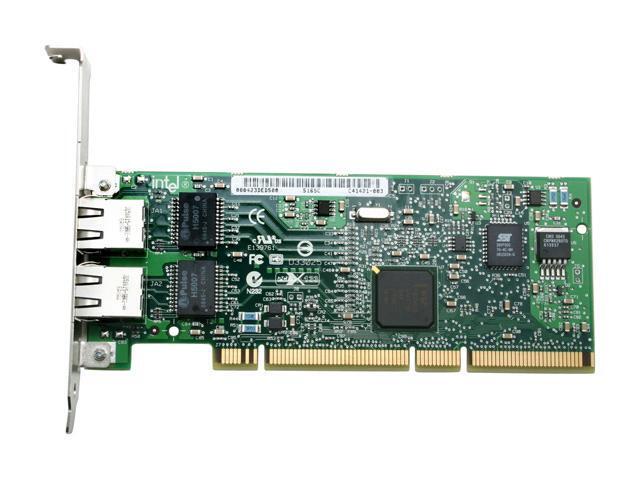
    I'm curious, are we using the same Intel gigabit cards?
    While our boards are different (Intel v. MSI), I'm using the Intel Pro1000 MT Dual Port (64bit PCI-X) cards (in a 32bit slot of course).  
    Granted, I know all of the Intel cards use the e1000 universal drivers, but I'm just curious.  Have you tried switching around the interfaces?  
    E.g. assign Port A on the card to External and Port B to Internal?  (Port A on my card always appears as Eth1 and gets assigned Internal and Port B as Eth2 and I always assign it External (the on-board NIC shows up as Eth0).  

    Intel PRO/1000 MT Dual Port Server Adapter - Overview

  • Hi, both my NICs are onboard... lspci says "Intel Corporation 82574L"...

    Since my last post, my dhcp lease from my ISP expired, so I'm now forced to keep manually resetting the NIC, or downgrade to 7.402 AGAIN or 'upgrade' to the beta.
    [:(]

    Barry
  • 7.460 seems to be better here.

    Barry
  • I had run into this issue a few days ago. But all I had to do was unplug and re-plug the ethernet wire and things started working again.
    Hoping things stay connected until 7.404 comes out or I have a chance to install 7.460.