CTO, Convergent Information Security Solutions, LLC
https://www.convergesecurity.com
Advice given as posted on this forum does not construe a support relationship or other relationship with Convergent Information Security Solutions, LLC or its subsidiaries. Use the advice given at your own risk.
The problem with the interface that is down might a simple as requiring a crossover cable. Not all NIC are capable of auto negotiation or auto crossover.
Ian M
The problem with the interface that is down might a simple as requiring a crossover cable. Not all NIC are capable of auto negotiation or auto crossover.
Ian M
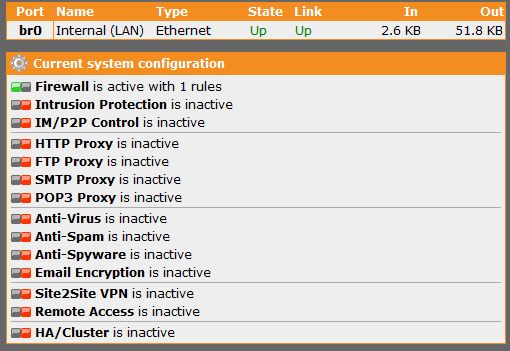
The proper way to setup bridging in astaro for this situation would be to just have eth0 configured under network interfaces, remove the config for eth1. Then go to Network > Bridging, create a bridge with eth0 and eth1. Once the bridge is enabled both interfaces will respond to the same IP address.
The astaro does not like to have two or more interfaces configured that are in the same network, so creating a bridge is the recommended configuration. You will still need to add packet filter rules to allow the traffic to pass. A basic rule to get going would be Source: Internal Network > Service: any -> Destination: Any, you can get more specific once you get up and running.
What features have you enabled on the astaro? make sure dhcp is only configured on one of the devices, either the astaro or the wireless router. What is the LAN IP of the wireless router?
[internet]
|
[Pix]
|
[Astaro][internal network]
Whereas yours appears to be
[internet]
|
[Buffalo][Astaro][internal network]
|
[internal network]
I guessed that because of the lockup caused by bridging the two Astaro interfaces. You created, in effect, two identical IP addresses on the same subnet.
Once you get that cleared up, you still have an issue if you want to control wireless LAN traffic. I've never tried it, but maybe you can bridge in front of the Buffalo. Will that work for what he wants to do, Bruce?
Cheers - Bob