Bug Report - SSL VPN global setting "IPv4 lease range" start IP is now the network IP

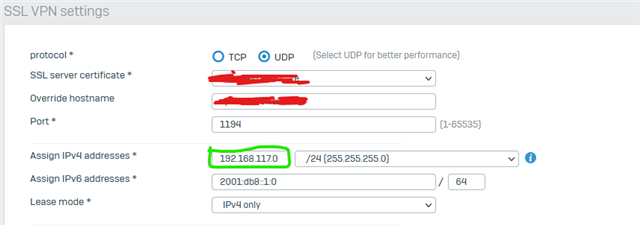
I updated via export/import all settings and now i saw, that the "Assign IPv4 addresses" is the value of "IPv4 lease range" start IP. So now i had 192.168.111.10/24 as network, what is wrong and hard to find, because configuration was running before ;-)

I dont know if it is relevant in an upgrade path other than export/import complete configuration.

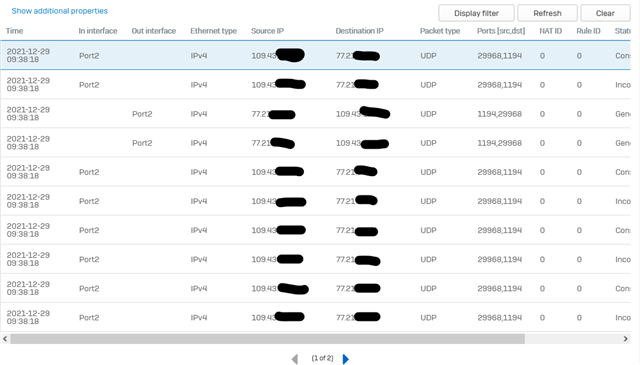
Despite that I found the error, I can no longer connect to the Sophos from the iphone with openVPN and the GUI logfiles show nothing.

Top Replies

  • You can only specify one value, not three, so you can't have one IP for the interface/network/firewall and then a separate range for the clients. As far as I can tell, you specify the start and that will also be the interface/network/firewall IP, and clients will start at the next IP.

    So if you specify 192.168.100.1, the interface will have that address and the clients will start at 192.168.100.2. At least that's how it's working for me, and it seems reasonable, though different. It would be nice to be able to specify all three, so you could, say, have the interface be 192.168.100.250 and the clients be 192.168.100.5-192.168.5.55, but...

    Jump to answer
Parents
  • To compare v18 and v19:

    Sophos v18
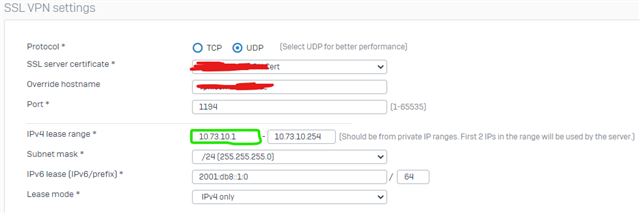
    In v18 is clear to enter the start IP of the range.

    Sophos v19

    In v19 is not realy clear to enter the IP of the network/subnet (like in every other form) or to enter the start IP.
    Here the config parameter from exports...

    v18

    -<SSLTunnelAccessSettings transactionid="">
    <Protocol>UDP</Protocol>
    <SSLServerCertificate>xxxx SSL VPN Cert</SSLServerCertificate>
    <OverrideHostName>vpn.xxxxxx.de</OverrideHostName>
    <Port>1194</Port>
    -<IPLeaseRange>
    <StartIP>10.73.10.1</StartIP>
    <EndIP>10.73.10.254</EndIP>
    </IPLeaseRange>
    <SubnetMask>255.255.255.0</SubnetMask>

    v19

    -<SSLTunnelAccessSettings transactionid="">
    <Protocol>UDP</Protocol>
    <SSLServerCertificate>Firewall Certificate</SSLServerCertificate>
    <OverrideHostName>vpn.xxxxxxx.eu</OverrideHostName>
    <Port>1194</Port>
    -<IPLeaseRange>
    <StartIP>192.168.117.0</StartIP>
    </IPLeaseRange>
    <SubnetMask>255.255.255.0</SubnetMask>
    

    Since the value name is the same, now think i have to enter the first IP of the network.

    But tunnel doesnt come up and without shell access i can't see anything. Log on GUI is empty.
    pcap

  • Assuming we have to look into this in the next year, as most of the people are on vacation right now. 

    __________________________________________________________________________________________________________________

Reply Children
No Data