
This discussion has been locked.
You can no longer post new replies to this discussion. If you have a question you can start a new discussion

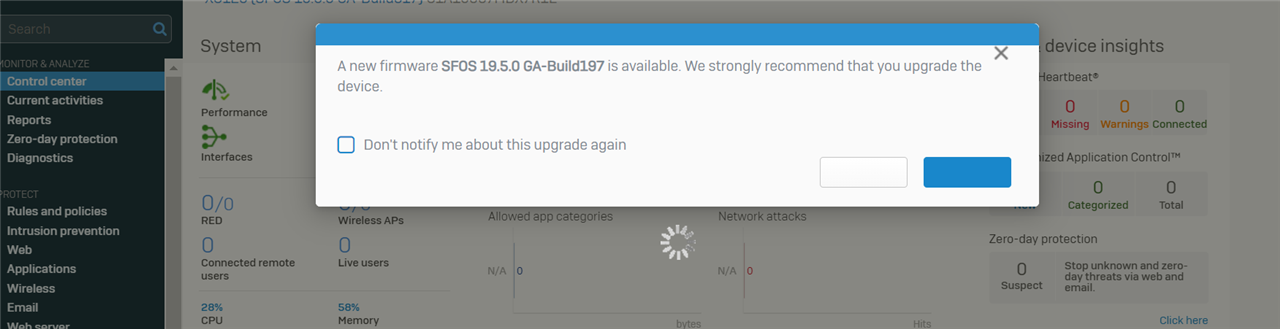
XG firewall stuck at "A new firmware "Firmware version" is available"

When I login to the web admin portal of XG125, the web page is stuck at A new firmware "Firmware version" is available and won't allow me to go passed that. I cant click any of the available options.

How do I escape that screen?


This thread was automatically locked due to age.

Top Replies

  • Hello Paul Gonzaga 
    Another quick workaround to get past "New firmware available" pop-up. 
    1. Right click on loading indicator icon and hit Inspect option in context menu (open development tool in browser). 
    2. In Inspect tool, right click on selected element and click 'Delete Element' (It will remove loading indicator and pop-up layer, then you can access other menu items)

    Jump to answer
Parents Reply Children
No Data