This discussion has been locked.
You can no longer post new replies to this discussion. If you have a question you can start a new discussion

ip / country block does not work with waf

SFVH (SFOS 18.0.4 MR-4) 

hello

the block rule only works with dnat

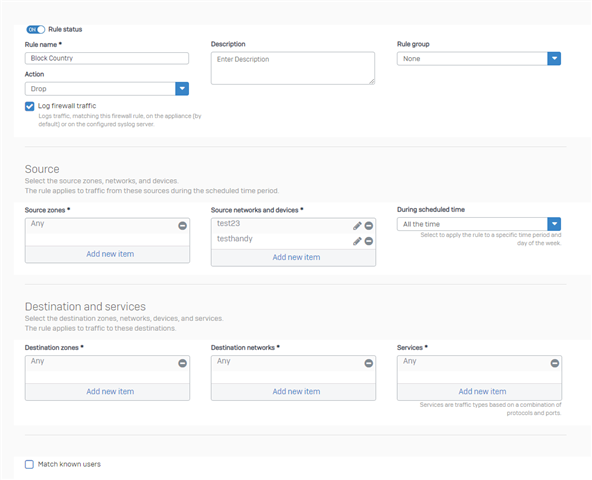
I have created the "block country" rule and blocked my cell phone for testing purposes
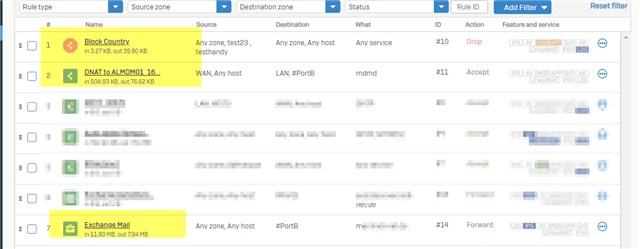
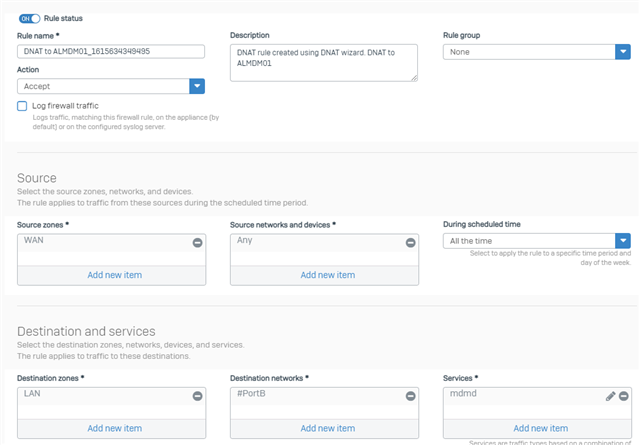
the dnat rule is blocked correctly
but all waf rules are not blocked
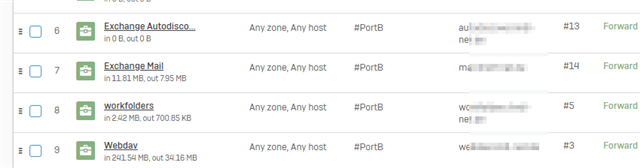
do firewall rules not apply to waf?
how to set ip / country block for waf?


This thread was automatically locked due to age.

Top Replies

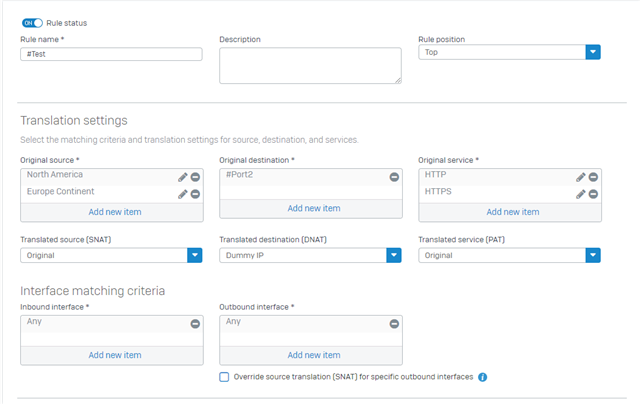
  • Sure, here's the Rule:

    Use the "Rule Position" at "Top".

    • Original Source: Here you will select the Countries / Continent you want to block.
    • Translated Source: Leave as "Original".
    • Original Destination: Mine is at #Port2 since It's where the WAF is currently located.
    • Translated Destination: Here you can create a Dummy IP (Blackhole IP), you can use any Local IPv4 that isn't being used.
    • Original Service: HTTP and HTTPS, or If the WAF is located on another port - you can then create a new Service in there.

    Thanks!

    Jump to answer
Parents Reply
  • I put the DNAT inplace to drop inbound access from unwanted countires.

    But I'm also looking to block internally originating outbound traffic that tries to propegate to blocked countries.

    End users, clients, applications, or malware... The limitation of this 'bug' doesn't intercept outbound 443 or 80 traffic either.

Children
No Data