This discussion has been locked.
You can no longer post new replies to this discussion. If you have a question you can start a new discussion

Skype blocked - ASG 8.102

Hello,

I hope someone will be able to help us with this - I need to make Skype available for a couple of users - they'll use it for conferences.
We are running version 8.102 - recently installed.
When going to skype.com, Firefox gives me Connection timed out and IE8 - the message attached below.
I added this site to white list and also to the list of proxy exceptions which skips pretty much every http/s check  - usually this helps. 
I added the user names of the users that need access to the list of users that are allowed to bypass all blocks - no go.
I added their desktop's IP addresses to the transparent host skips group to skip http proxy all together - no good.
I pinged skype.com from my home computer and got the IP - came up with 78.141.177.7 and 204.9.163.162 - one of them seems to be in Luxemburg and another one in Canada - unblocked both countries - still no good besides the fact that now I can access skype.com via IP address - but not the domain name.
Many links would open because the URLs are IP-based:

http://78.141.177.7/intl/en-us/special-offers
http://78.141.177.7/intl/en-us/prices

But once I click on Sign-in - the URL will be https://secure.skype.com/account/?intcmp=sign-in  and it fails again.

The ISP has confirmed that both IP addresses are listed on their Name Servers. Plus, I can can ping both - IP addresses and the domain name directly from the firewall but not from my desktop - so it must be Astaro configuration....

I might need to add a  Packet Filer rule and/or DNAT entry but not sure what i should add to make it work...

Anyone who can help?

Thank you so much in advance!
Suvie


This thread was automatically locked due to age.

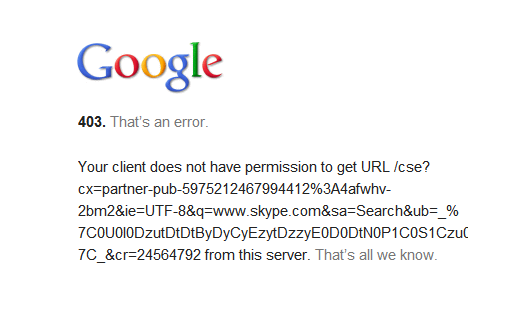
  • I don't know what to make of the Google error in the screenshot, but I would recommend checking your PacketFilter, HTTP ContentFilter, and IPS logs.

    Barry
  • use the socks 5 proxy in the asg.  it's under network security-advanced.  after you configure the socks proxy for v5 then you can point the skype users to the proxy and they'll work fine..[:)]

    Owner:  Emmanuel Technology Consulting

    http://etc-md.com

    Former Sophos SG(Astaro) advocate/researcher/Silver Partner

    PfSense w/Suricata, ntopng, 

    Other addons to follow

  • use the socks 5 proxy in the asg.  it's under network security-advanced.  after you configure the socks proxy for v5 then you can point the skype users to the proxy and they'll work fine..[:)]


    Hi William, why do you think that Socks5 proxy is needed by skype? My users are using skype without socks...
  • Hi William, why do you think that Socks5 proxy is needed by skype? My users are using skype without socks...


    simplicity.  skype is a p2p program.  it will hammer asg's trying to find any port.  If you tell it to use socks it's becomes nice and stays within the socks protocol and you don't have to manually forward ports and then try to restrict skype.  Point it as the socks proxy and it plays nice all on it's own.  much simpler.

    Owner:  Emmanuel Technology Consulting

    http://etc-md.com

    Former Sophos SG(Astaro) advocate/researcher/Silver Partner

    PfSense w/Suricata, ntopng, 

    Other addons to follow

  • simplicity.  skype is a p2p program.  it will hammer asg's trying to find any port.  If you tell it to use socks it's becomes nice and stays within the socks protocol and you don't have to manually forward ports and then try to restrict skype.  Point it as the socks proxy and it plays nice all on it's own.  much simpler.


    For desktop pc users there is no problem to manually change proxy settings to Socks5... When we are talking about laptop users it's different (in our company 80% of my co-workers have a laptop): they have to use Socks5 in our LAN and remove this setting when they are outside... Or do you think that "Automatic discovery of proxy settings" (in skype) will choose at first Socks5 and then HTTP proxy?
  • Auto proxy will probably try to use the browser auto-proxy methods, which need a proxy.pac to be served up via DHCP.

    Barry
  • Hi! Thank you guys!
    Configuring SOCKS didn't help with accessing the actual web site but once I installed skype application, skype traffic seems to go through. With the new version 8.102 we've been having a lot of issues with various sites that's became inaccessible since the upgrade  - it seems to be a known bug that's promised to be addressed in the next release... Usually the workaround can be one of the steps: adding users to Bypass All Blocks list, white listing the site, adding an exception, or adding the host to the transparent host skips... However, opening 'www.skype.com' still doesn't work. not that it's very critical but it bothers me that I can't get it to work:-(

    Thank you!
    Suvie
  • Hi, what does the http content filter log show?

    Barry
  • it turned out to be too simple:-) I had my IP added to the transparent host skips and nothing was in the log from me - naturally. And, the browser wasn't displaying any particular Astaro messages. Once I removed my IP from transparent hosts list, Astaro threw me a message that this country is blocked - Estonia (even though I checked online Skype IPs and unblocked the countries - Canada and Luxemburg). Once I unblocked Estonia - everything works now!
    So silly!

    Thank you everyone for all your help!!
    Suvie