This discussion has been locked.
You can no longer post new replies to this discussion. If you have a question you can start a new discussion

allowing actual HTTPS traffic

Hi everyone-
I am currently using a Demo unit of the ASG 320. So far we are quite happy but are experiencing some issues. One that is particularly strange is that each time I go a site that is HTTPS secured (twitter, the support site here, ect) that asks me to trust the certificate and while I accept it, the site does not completely render properly. I was able to make an exception for Astaro.com, but I obviously can't do that for each https site on the internet.

can someone provide me with some guidance ?

Thanks,


This thread was automatically locked due to age.

  • Hi,
    to overcome the problem you need to import the certificate from the ASG into to your browser. Each ASG creates it own certificate based on a number of items. You can choose to regenerate the certificate either based on the ASG name or the ASG IP address.

    Ian M[:)]
  • I imported the cert that was in the webadmin management part but that doesn't seem to work. Is there somewhere else I should be looking?
  • Yes, that's the CA for WebAdmin, and you need the CA for the Proxy.

    Look in 'Web Security >> HTTP/S' on the 'HTTPS CAs' tab.  Also, if you'd like to test rolling the cert out to end-users, you can activate 'Management >> User Portal' and login to the Enduser Portal to download the CA.

    Cheers - Bob
     
    Sophos UTM Community Moderator
    Sophos Certified Architect - UTM
    Sophos Certified Engineer - XG
    Gold Solution Partner since 2005
    MediaSoft, Inc. USA
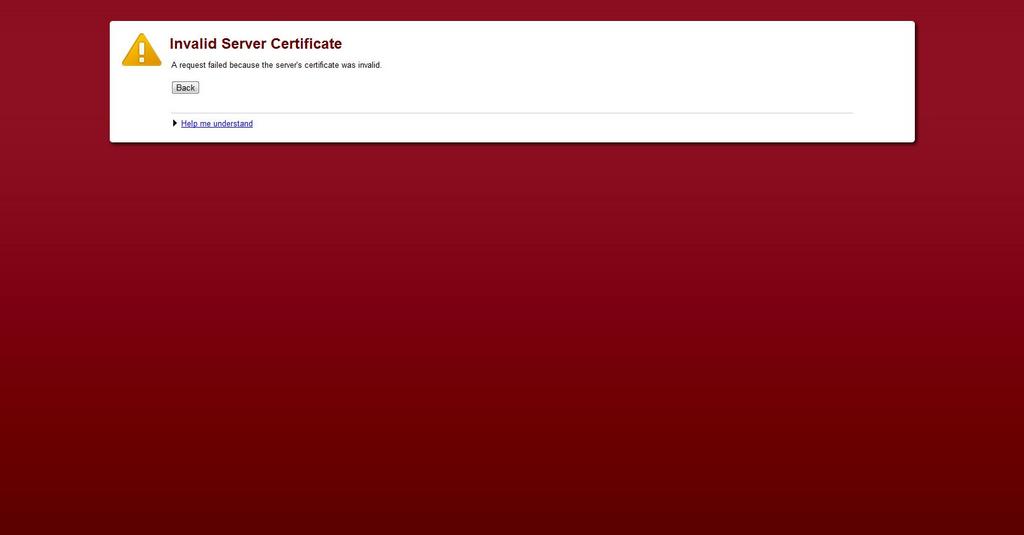
  • So I tried that and it didn't work. I hit regenerate-and I think I broke it because now I get this messsage:

    Invalid Server Certificate
    A request failed because the server's certificate was invalid.

    I tried to delete the cert and re-import but no luck.

    Any ideas?

    EDIT- I have now discovered this error when i first go to the webadmin page. I again I think when I hit regenerate is when it went bad-I checked IE, and IE wont even load an https page. Can someone help me reset certificates?
  • The Astaro does an automatic configuration backup every night (at least, that's normally how I configure it).  Go to 'Management >> Backup/Restore' and restore last night's backup.

    While you're at it, configure to have it send an email with the backup to you each evening.  That way, if the device gets hit by lightening, you can just restore to a replacement unit.

    Does that resolve your blockage?

    Cheers - Bob
     
    Sophos UTM Community Moderator
    Sophos Certified Architect - UTM
    Sophos Certified Engineer - XG
    Gold Solution Partner since 2005
    MediaSoft, Inc. USA
  • The Astaro does an automatic configuration backup every night (at least, that's normally how I configure it).  Go to 'Management >> Backup/Restore' and restore last night's backup.

    While you're at it, configure to have it send an email with the backup to you each evening.  That way, if the device gets hit by lightening, you can just restore to a replacement unit.

    Does that resolve your blockage?

    Cheers - Bob


    It did work-ironically https sites appear to be rendering ok now. Unforuantely I have still the error in the second image when I go to the webadmim-its not a huge deal-I mean click proceed and it goes through-I have the webadmin cert installed but I am still having issues-is this normal?

    Thanks again for helping a newbie with this product.
  • The second image indicates that, when you did the initial installation, you named the ASG something like mail.domain.com, and that, from inside your network, you're accessing it like https://192.168.1.1:4444/.  That is, you aren't accessing it by its actual name.  You can just ignore that and proceed, or you can add an entry to internal DNS that resolves mail.domain.com to 192.168.1.1.

    Does that resolve this issue?

    Cheers - Bob
     
    Sophos UTM Community Moderator
    Sophos Certified Architect - UTM
    Sophos Certified Engineer - XG
    Gold Solution Partner since 2005
    MediaSoft, Inc. USA
  • The second image indicates that, when you did the initial installation, you named the ASG something like mail.domain.com, and that, from inside your network, you're accessing it like https://192.168.1.1:4444/.  That is, you aren't accessing it by its actual name.  You can just ignore that and proceed, or you can add an entry to internal DNS that resolves mail.domain.com to 192.168.1.1.

    Does that resolve this issue?

    Cheers - Bob


    Yes-thank you so much for your help
    [[:)]][[:)]]