This discussion has been locked.
You can no longer post new replies to this discussion. If you have a question you can start a new discussion

Getting Timeout in webpages and other errors

Hi sir,

Today morning my user complained that they get timeout messages on their Pc and i just want to say how can i fix that error sir ?

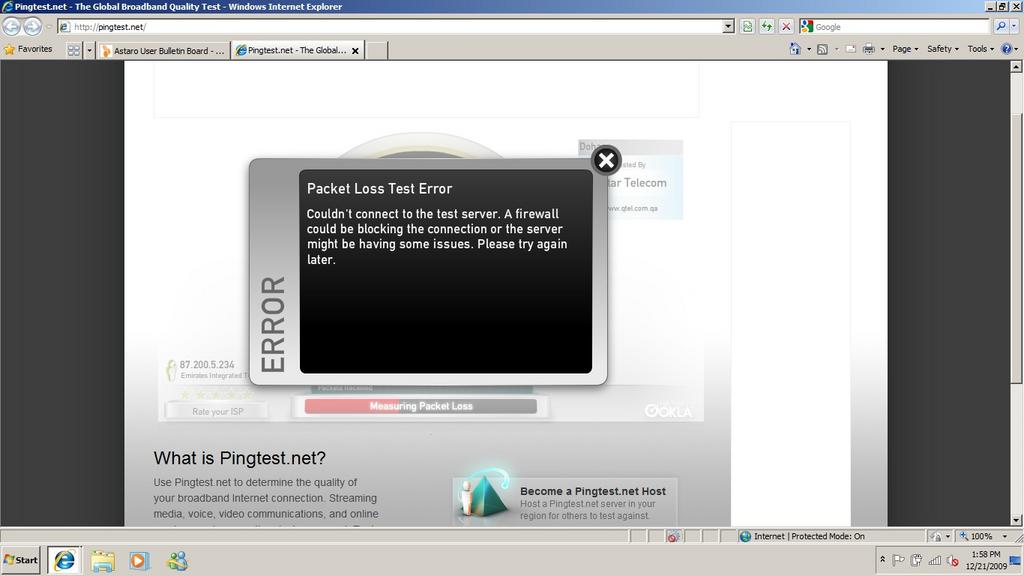
And when i login to Pingtest.net - The Global Broadband Quality Test and i see the packets loss is being filtered.

My setup is as follows :-

Internet Cable > ASG 7.502 > Switch > Access Points = Laptops/PC

So ASG is giving DHCP to my clients. 

Following service is enabled seen on the Attachment below

Astaro Interface Filename gives you information what services is ON.

Untitled - Ping Test.NET problem with ASG 7.502.

Untitled1- Problem that my user has with a website.

Edit: Just now my another user said that in the webmail he gets IMAP could not be connected or blocked. check with your system administrator. Is it a firewall blocking it sir ?


This thread was automatically locked due to age.

Parents
  • Pingtest.net doesn´t use "real" pings - so the ICMP settings on your ASG are totally irrelevant for using this service.
    Pingtest.net uses  normal HTTP packets as well as packets on port 8080/UDP and 843/TCP which are send from your PC (running the browser) to the server you selected.
    Probalby. your ASG blocks the UDP/8080 packets (it seems for me it doesn´t matter if you block the 843/TCP packets, but as soon as you don´t allow outging 8080/UDP packets the pingtest-service fails).

    So probably a packetfilter rule fro outgoing port 8080/udp will enably you to use pingtest.net.
  • But he has a packet filter rule internal->-Internet->allow.

    I have a port range of 8000-8020 in th eallowed services tab for audio streaming, otherwise I can't see why mine would work and his doesn't.

    Ian M
  • I use a Westell DSL router, firewall on medium security.  Result of pingtest.net is "failed because behind firewall"

    Solution:  I then set port forwarding UDP & TCP port 8080 and UDP & TCP port 843.

    Pingtest.net now runs without me lowering my shields.

    I emailed pingtest.net for instructions on setting port forwarding but its been a number of days and they didn't reply.
Reply
  • I use a Westell DSL router, firewall on medium security.  Result of pingtest.net is "failed because behind firewall"

    Solution:  I then set port forwarding UDP & TCP port 8080 and UDP & TCP port 843.

    Pingtest.net now runs without me lowering my shields.

    I emailed pingtest.net for instructions on setting port forwarding but its been a number of days and they didn't reply.
Children
No Data