This discussion has been locked.
You can no longer post new replies to this discussion. If you have a question you can start a new discussion

Getting Timeout in webpages and other errors

Hi sir,

Today morning my user complained that they get timeout messages on their Pc and i just want to say how can i fix that error sir ?

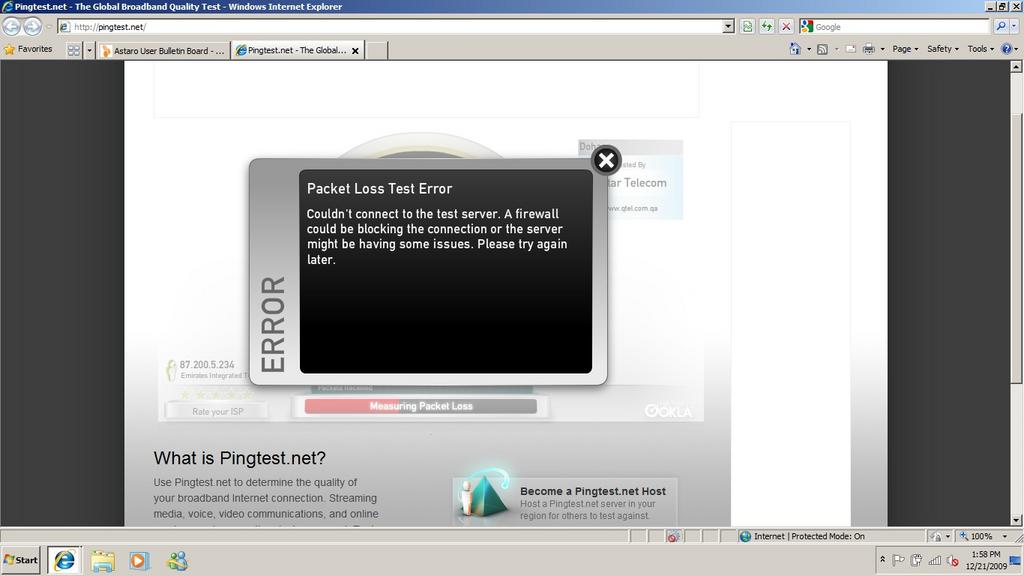
And when i login to Pingtest.net - The Global Broadband Quality Test and i see the packets loss is being filtered.

My setup is as follows :-

Internet Cable > ASG 7.502 > Switch > Access Points = Laptops/PC

So ASG is giving DHCP to my clients. 

Following service is enabled seen on the Attachment below

Astaro Interface Filename gives you information what services is ON.

Untitled - Ping Test.NET problem with ASG 7.502.

Untitled1- Problem that my user has with a website.

Edit: Just now my another user said that in the webmail he gets IMAP could not be connected or blocked. check with your system administrator. Is it a firewall blocking it sir ?


This thread was automatically locked due to age.

Parents
  • Hi,
    you need to check that you have allow ping through the ASG.

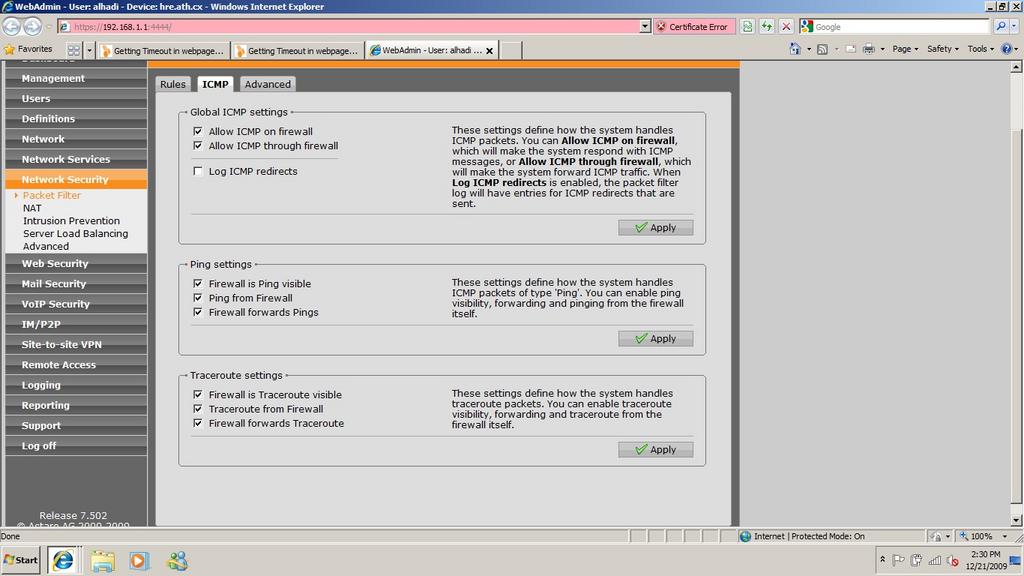
    Wedadmin->network security-> packet filter->icmp

    I have all boxes except allowing the firewall to respond ticked.

    I ran the ping test successfully and the speedtest. Mind you the speedtest is odd because of the proxy.

    Ian M
  • Thanks for the reply sir, 

    Here is my ICMP page under packet filter

    Question which one do i have to tick only sir ?

    The problem in pingtest.net is the same 

    Just now tested again with Those ICMP fields enabled

    Seems to be other problem sir [:(]
  • Hi,
    first thing is to change your packet filter rule, the way you have it at the moment allows anybody into your network.

    Change your packet filter rule so that the first any is your internal network

    internal network->any (port)->any (internet)-> allow

    Personally I don't like my ASG to advertise itself unless I am doing testing so I don't have any of the allow ASG to respond ticked.

    What are your NAT settings. A simple NAT setting is using MASQ, Internal network-> external interface.

    Try those setting and see what happens.

    Ian M
Reply
  • Hi,
    first thing is to change your packet filter rule, the way you have it at the moment allows anybody into your network.

    Change your packet filter rule so that the first any is your internal network

    internal network->any (port)->any (internet)-> allow

    Personally I don't like my ASG to advertise itself unless I am doing testing so I don't have any of the allow ASG to respond ticked.

    What are your NAT settings. A simple NAT setting is using MASQ, Internal network-> external interface.

    Try those setting and see what happens.

    Ian M
Children
No Data