This discussion has been locked.
You can no longer post new replies to this discussion. If you have a question you can start a new discussion

problems on upgrading from 7.405 to 7.500

hi all,
I cannot upload the upgrade file using Iceweasel browser under Linux Debian stable,
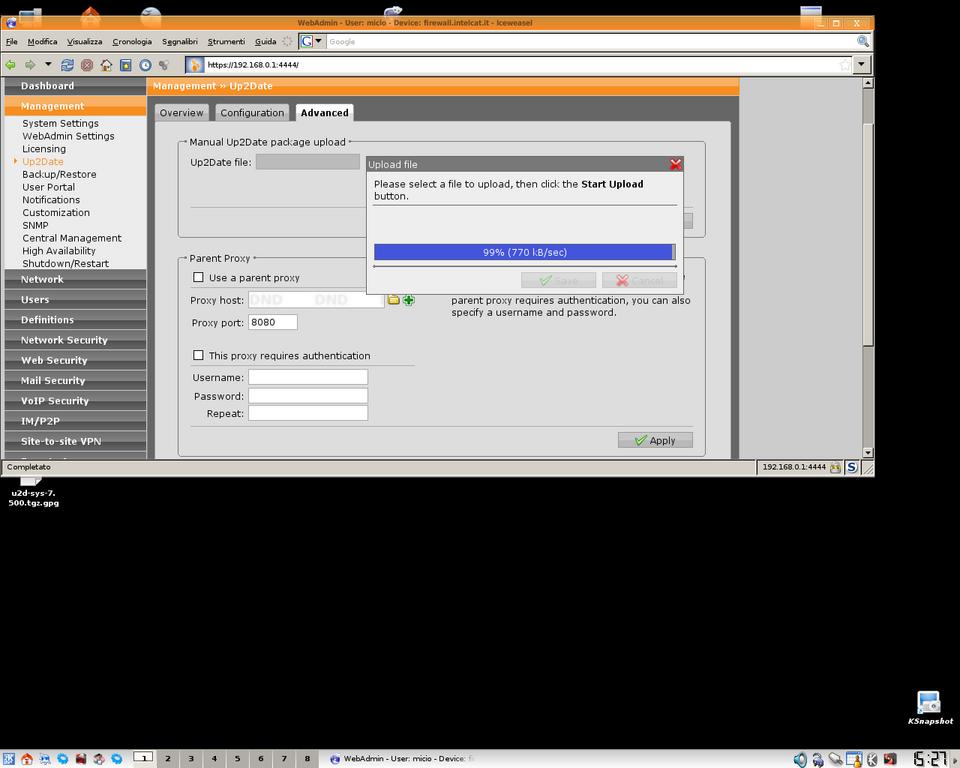
I've try several times to upload the huge file u2d-sys-7.500.tgz.gpg (240.7 MB) from the 
panel "Management---Up2date---Advanced" following the manual procedure but after a long time it stop when is about at 99% .
I post an image to well explain what's happen,
Any help will be very appreciate
thankyou very much


This thread was automatically locked due to age.

  • Balfson, i found an easy way to do

    logged to the console as loginsuer
    then su root

    Please don't change ownership on files on a production firewall system specially with *.* wildcards. If you su as root, you already have rights to those files. Use the directions provided by Bob. If you can upload the file, the auisys.plx script would run fine as root. Also, if you sent the files as root, root is the owner anyway.

    By the way, I tried to direct astaro folks to this problem during the beta numerous times. Sometime the up2date works manually if you turn off IPS and all the proxies etc before manually uploading the file. The file needs around 500mb of free ram to upload. If you look at top while uploading, index.plx would be using around 500mb memory while the upload process is taking place. Not very efficient, but hopefully would be fixed soon.
  • you can't send the files as root as the system forbids login as root directly, you need to pass through another login, which winscp does not support.
    (btw, i did it on my production system with no problems, as i only changed the sys permission to upload then returned it to original to run the auisys).

    yes.. the u2d upload to ram is pretty inefficient, granted it's not a very normal ocurrence, but could give plenty of headaches