This discussion has been locked.
You can no longer post new replies to this discussion. If you have a question you can start a new discussion

Proxy Auto config funktioniert nicht

Hallo,

mal wieder ein kleines Problemchen: Ich möchte die Proxy Auto config Funktion unserer ASG nutzen.

Dazu habe ich folgenden Text unter Web Security/Erweitert/Automatische Proxy-Konfiguration eingefügt:


function FindProxyForURL(url, host)
{
   //The following URLs will not be proxied
   if (shExpMatch(url, "*unseredomain.local*"))
         {return "DIRECT";}
   if (shExpMatch(url, "*192.168.x.206*"))
         {return "DIRECT";}

   // Set the desired proxy server for local addresses
   if (isInNet(myIpAddress(), "192.168.x.0", "255.255.255.0"))
         {return "PROXY 192.168.x.206:8080" ;}
   if (isInNet(myIpAddress(), "192.168.xx.0", "255.255.255.0"))
         {return "PROXY 192.168.x.206:8080" ;}
   if (isInNet(myIpAddress(), "192.168.***.0", "255.255.255.0"))
         {return "PROXY 192.168.x.206:8080" ;}

   // For all other networks, do not proxy
   return "DIRECT" ;
}


Dann hab ich in den IE-Settings den Haken bei "Atomatisches Konfigurationsskript verwenden" gesetzt und die folgende URL eingetragen:
 192.168.x.206:8080/wpad.dat


Nun läuft der Browser sich tot aber Webseiten werden trotzdem nicht geöffnet. Fehlt noch irgendwo etwas?


This thread was automatically locked due to age.
Parents
  • Ich hab mich wohl falsch ausgedrückt. Ich meinte wenn ich in die Automatische Proxy Config URL http://wpad/wpad.dat eintrage werden keine Seiten geöffnet.

    Wenn ich den Link in den Browsern eintrage kann ich die Datei herunterladen.

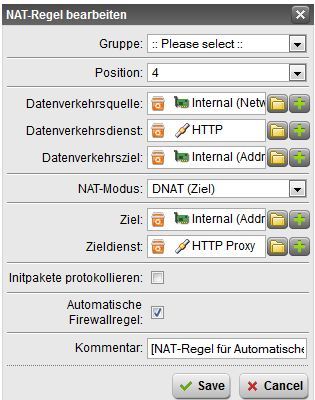
    Hier ist der Screenshot:


    nslookup:

    Server:  localhost
    Address:  192.168.x.215

    Name:    wpad.***.local
    Address:  192.168.x.206
Reply
  • Ich hab mich wohl falsch ausgedrückt. Ich meinte wenn ich in die Automatische Proxy Config URL http://wpad/wpad.dat eintrage werden keine Seiten geöffnet.

    Wenn ich den Link in den Browsern eintrage kann ich die Datei herunterladen.

    Hier ist der Screenshot:


    nslookup:

    Server:  localhost
    Address:  192.168.x.215

    Name:    wpad.***.local
    Address:  192.168.x.206
Children
  • Hm, sieht eigentlich alles gut aus. Neben dem einfachen "wpad"-Eintrag im statischen DNS trage mal bitte noch den Eintrag mit Deiner Full Qualified Domain ein, so dass

    wpad.***.local

    ebenfalls auf die IP Deiner Firewall auflöst.

    Ansonsten drauf achten, dass im Firefox nur die Option 

    "Die Proxy-Einstellungen für dieses Netzwerk automatisch erkennen" und nicht "Proxy-Einstellungen des Systems verwenden" gewählt ist.

    Aber wenn selbst der Download im Browser mit http://wpad/wpad.dat klappt, kann es eigentlich nur noch ein Syntax-Problem im Skript selber sein. Um sicher zu gehen, kannst Du ja mal den pactester von Google drüber schicken:

    pactester - A tool to test proxy auto-configuration (pac) files - Google Project Hosting

    MfG
    Manuel