This discussion has been locked.
You can no longer post new replies to this discussion. If you have a question you can start a new discussion

Backup/Restore send via email doesn't work

Hi All


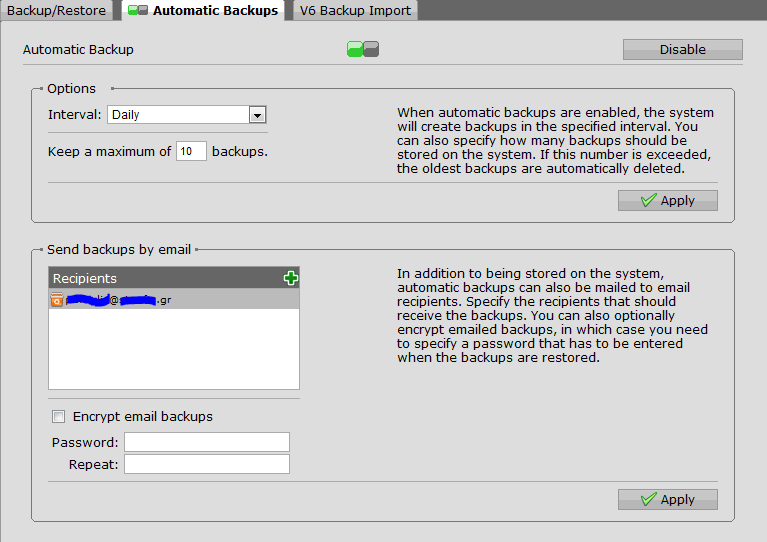
After updating to clean version of 7.500 I am unable to receive the backups via email. Smtp is not configured at the moment (I am a home user). The config is the same as 7.490(previous version had that functionality working)

I can't see anything on the smtp log and on the mail manager. I am getting other mail from ASG (executive reports etc etc). I've tried to send a test backup up but still I am unable to get it

Picture attached


This thread was automatically locked due to age.

Parents
  • What if you enable the smtp proxy, but you don't configure it?

    Cheers - Bob
     
    Sophos UTM Community Moderator
    Sophos Certified Architect - UTM
    Sophos Certified Engineer - XG
    Gold Solution Partner since 2005
    MediaSoft, Inc. USA
Reply
  • What if you enable the smtp proxy, but you don't configure it?

    Cheers - Bob
     
    Sophos UTM Community Moderator
    Sophos Certified Architect - UTM
    Sophos Certified Engineer - XG
    Gold Solution Partner since 2005
    MediaSoft, Inc. USA
Children
  • What if you enable the smtp proxy, but you don't configure it?

    Cheers - Bob


    Hi Bob

    I've tried enabling the SMTP proxy but I found that the relevant notification boxes should be checked

    Configuration Auto Backup  (automatic backup)
    Configuration Backup File  (it is used for the send backup email)

    in order to work.

    At the moment I have not smtp proxy enabled and the relevant notification checked and backup email is sent/daily backup email works as well. I haven't enabled smtp smarthost [:)]