
This discussion has been locked.
You can no longer post new replies to this discussion. If you have a question you can start a new discussion

multiple rrdtool high (100%) cpu usage

Since 02:20 this morning 3 seperate systems I look after for friends have shown this problem.

Each is running at 100% CPU load and the FW is slow

After SSH'ing in I found that there are many (20+) instances of rrdtools running.

This problem looks identical to  rrdtool high cpu usage

I have tried what is suggested there which kills the rrdtool task but after a while the instances start again so I have commented out the lines in /etc/crontab.rrd for now

What is the permanent solution to this ?

Jeff


This thread was automatically locked due to age.

Top Replies

  • Hello Community,

    This is being investigated under NUTM-14089.

    The issue has been identified, and the fixed version has been set for the next release (9.716). No ETA at the moment.

    The current workaround is to change your time zone to "ETC/UTC" (Any other than IST/BST) and reboot your device.

    If the issue persists after this, please open a case with support and mention NUTM-14089 so it can be investigated further.

    Regards,

    Jump to answer
Parents
  • Same issue here, and also started around the same time.


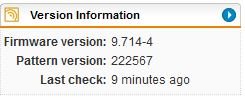
    Firmware version: 9.714-4
    Pattern version: 222574

    Running Sophos UTM [home] on a VM for almost 10 years. Tried a reboot but the rrd process was consuming 98% of the CPU again within a few minutes.

  • Mine since rebooting is holding at 15% CPU, but friends went right back to 100% after reboot...have run the kill commands...now dropped to single digits...lets see how long it lasts...

    killall /usr/local/bin/create_rrd_graphs.plx
    killall rrdtool

Reply
  • Mine since rebooting is holding at 15% CPU, but friends went right back to 100% after reboot...have run the kill commands...now dropped to single digits...lets see how long it lasts...

    killall /usr/local/bin/create_rrd_graphs.plx
    killall rrdtool

Children
  • I think when the cron job kicks in it'll be back !

    I think the cron job times are unique to the UTM they're on as the jobs on the 3 I look after are all different

    Jeff

  • So, 12 hours later, my CPU usage is still in single digits. 

    I did the following:

    Kill the tops using the two commands above

    Rebooted the UTM

    Generated an Executive report

    Once it had generated, I rebooted the UTM again.

    It's been stable since...I might have just gotten lucky, so I asked friend to do the same on his UTM, same outcome, now stable around 15% usage for him and 5% for myself.

    I did not comment out any jobs etc.