This discussion has been locked.
You can no longer post new replies to this discussion. If you have a question you can start a new discussion

UTM is Blocking any http Sites.

Hi,

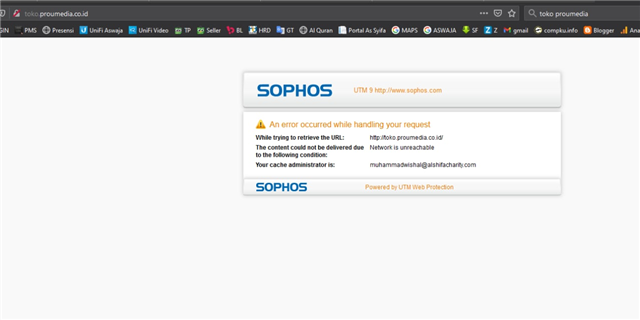
so anyway, my UTM is blocking any http sites/traffic. but https is fine. any ideas?

the UTM is on Bridge Mode
the error:


This thread was automatically locked due to age.

Top Replies

  • First off, your DNS forwarder:  Either pick the one assigned by ISP (checkbox) or uncheck it to use the forwarders that you put in the allowed list there.  

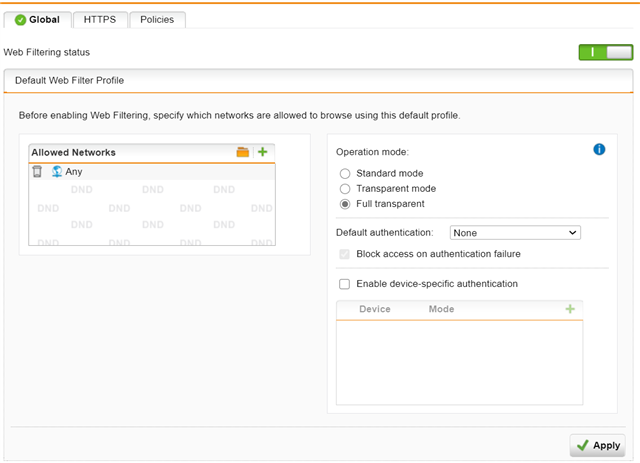
    Second: Allowed Network under your Global tab should go back to Internal Network.

    Are you checking the logs when you try to go to http sites?  What is the log showing you?  Can you post it?

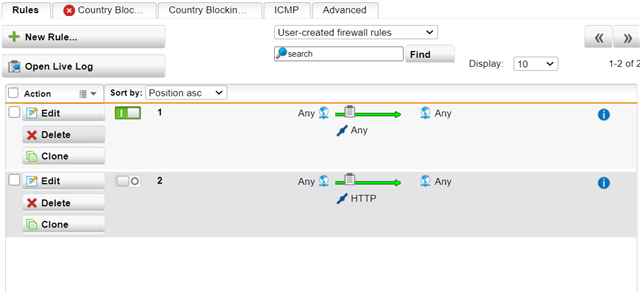
    Your Firewall configuration at the very top:  I know someone already talked about the ANY rule (no-no).  But it looks like you are missing something on that second rule.  You should have a group called Web Surfing, which also contains:

    HTTP, HTTP Proxy, HTTP WebCache and HTTPS.  Can you change that rule to use that group and not just HTTP?

    Jump to answer
Parents
  • FormerMember
    0 FormerMember

    Hi ,

    Thank you for reaching out to the Community! 

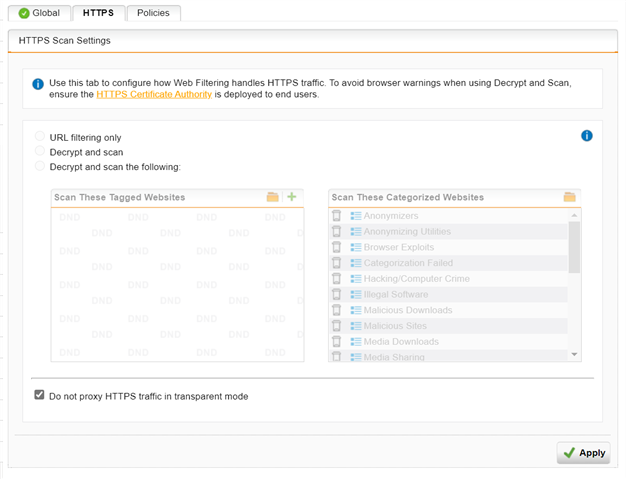
    Could you please select one of the options under HTTPS scanning and check if that helps. 

    Note: For decrypt and scan you would have to import the poxy CA in users browsers root CA.

    On the Web Protection > Web Filtering > HTTPS tab you can configure how Web Filtering handles HTTPS traffic.

    • URL filtering only: Select this option to filter based on domain name for categorization, tags, and if the site is listed in a whitelist or blacklist.
    • Decrypt and scan: Select this option to perform URL Filtering and also perform HTTPS decryption for full scanning.

    Thanks,

  • Hi H_Patel. i have checklist URL Filtering only. but seems not work. when i trying to google there is: Software is preventing Firefox from safety connecting to site.

Reply Children
No Data