

Hi all,
I have a problem configuring the routing on the XG firewall.
My ISP delivers access through VLAN trunks and requires the following:
VLAN 10 - Internet
VLAN 20 - IPTV
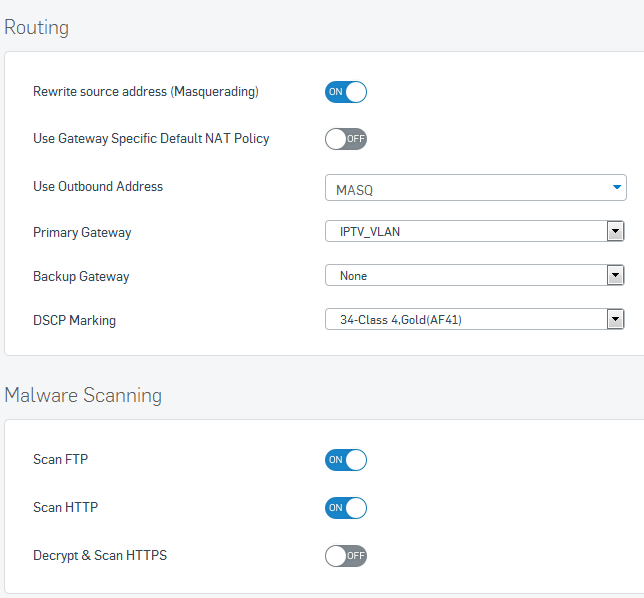
For the IPTV portion, in addition to VLAN 20, the packets has to be marked with PCP value of 4 in order to be delivered.
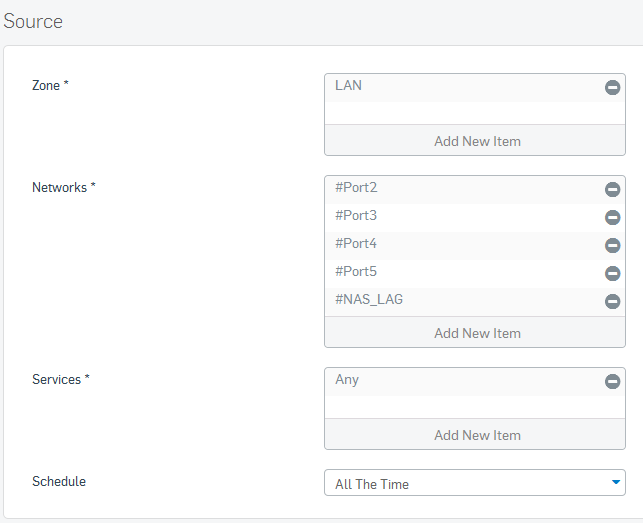
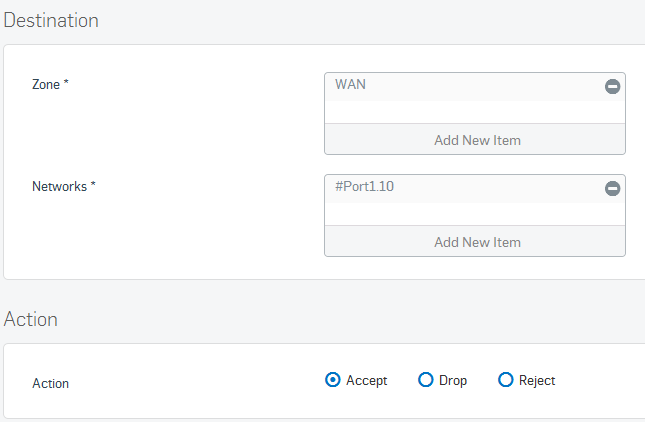
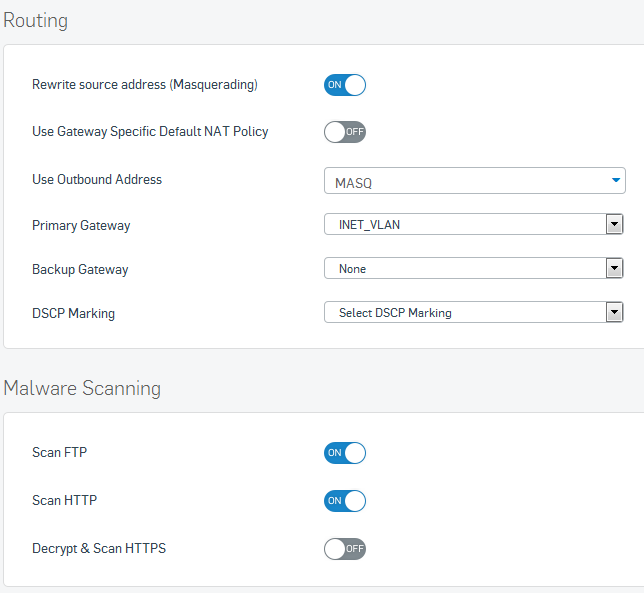
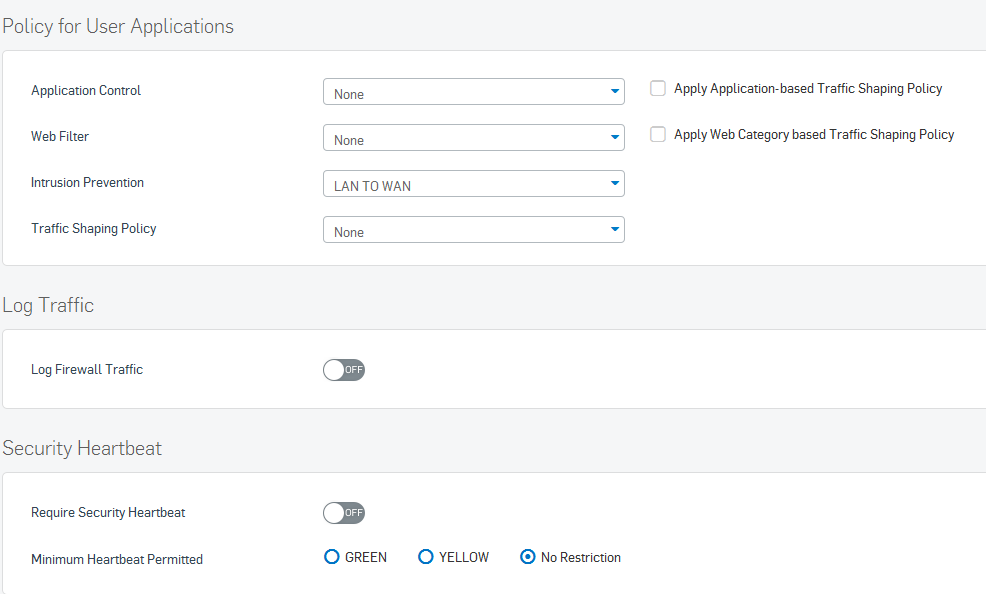
Referencing to a custom router which was built off Arch Linux which I have tested and worked (refer to attachment: ArchLinux_cfg.zip), I have configured the following in XG which did not work when I plugged my notebook to port 2 of the UTM. It did receive IP and and address but was unable to route beyond the local network. The XG on the other hand have no issue running ping and traceroute to internet addresses.
From what I can tell, it seems the clients can't find a route out of the XG but this should have been dealt with when the policies are defined.
Maybe I have missed out something?
Interface: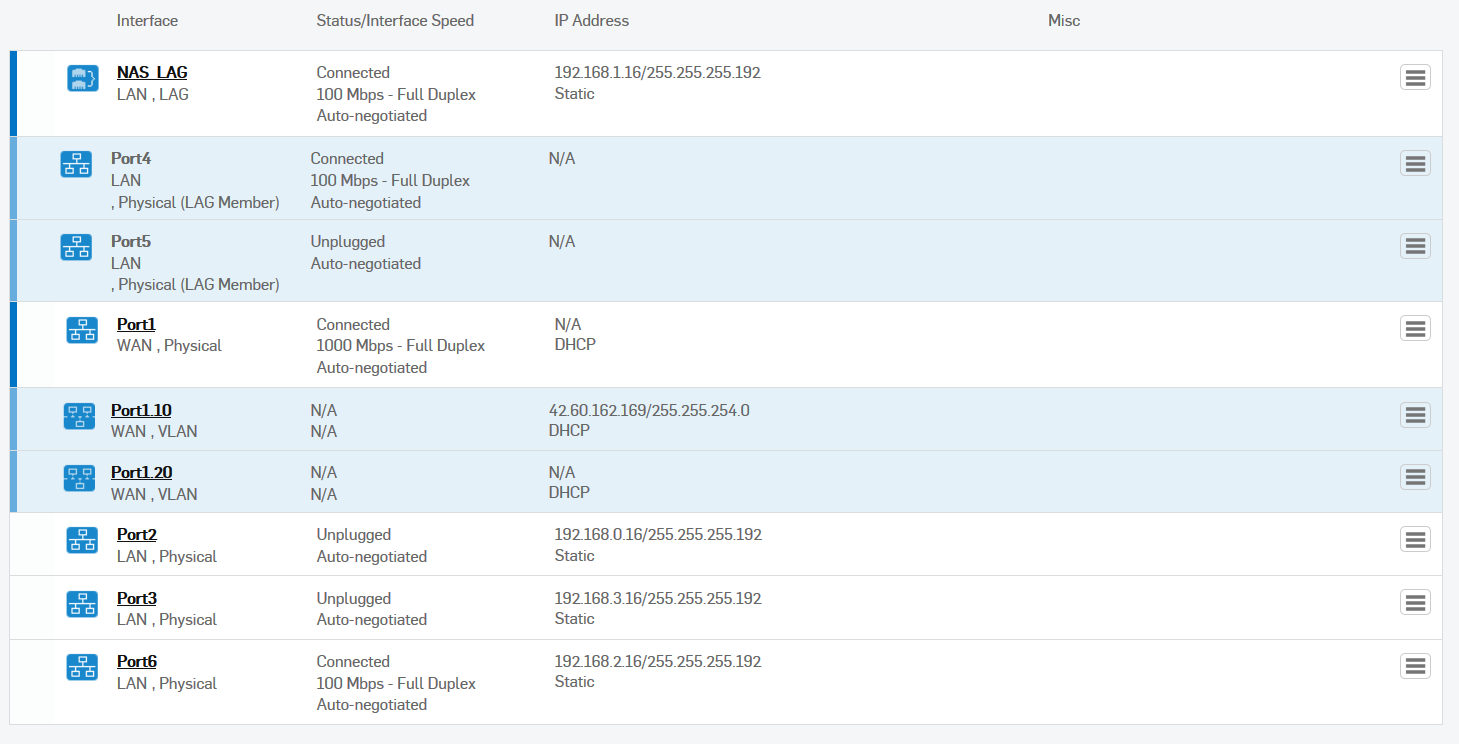
DHCP:
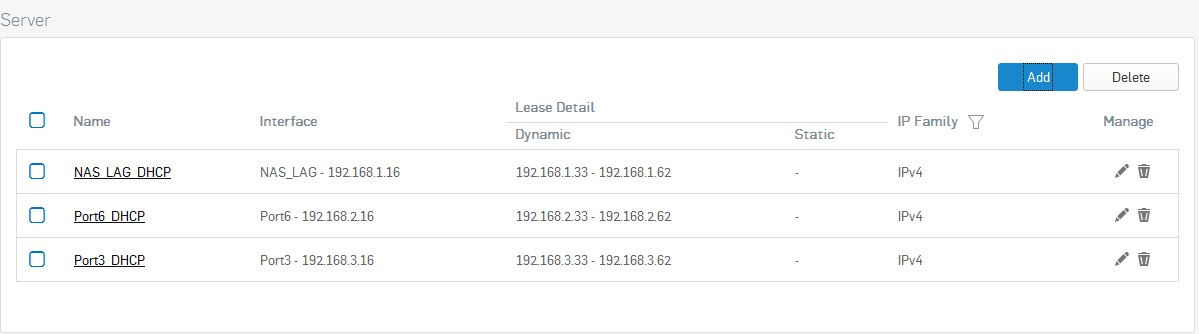
Clientless users:

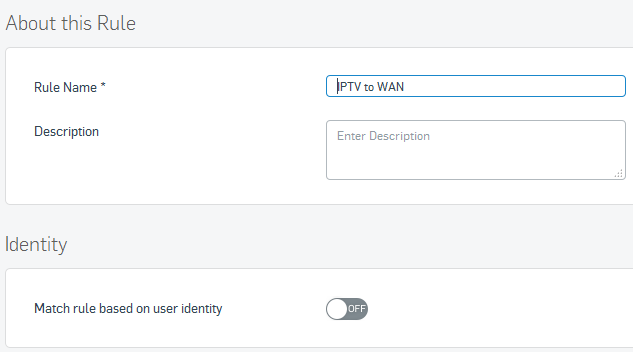
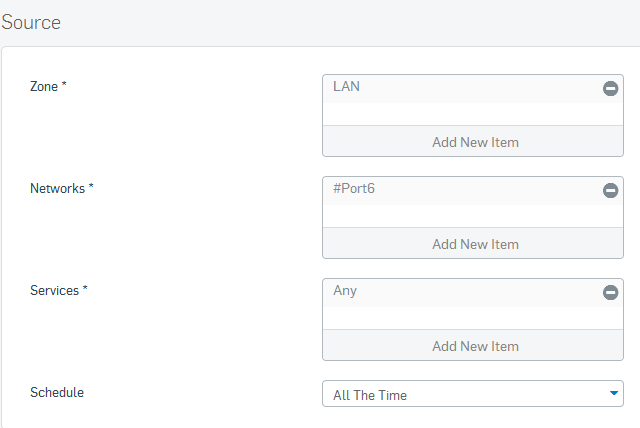
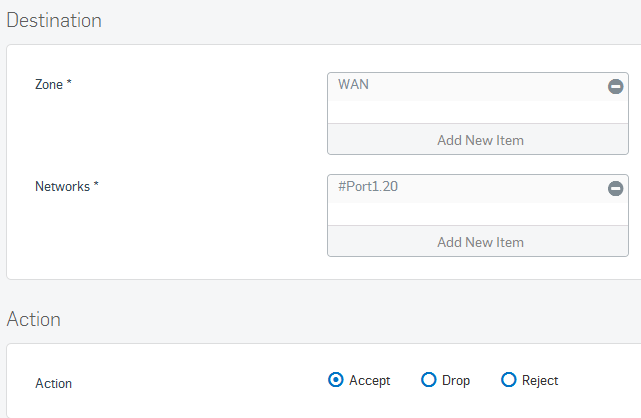
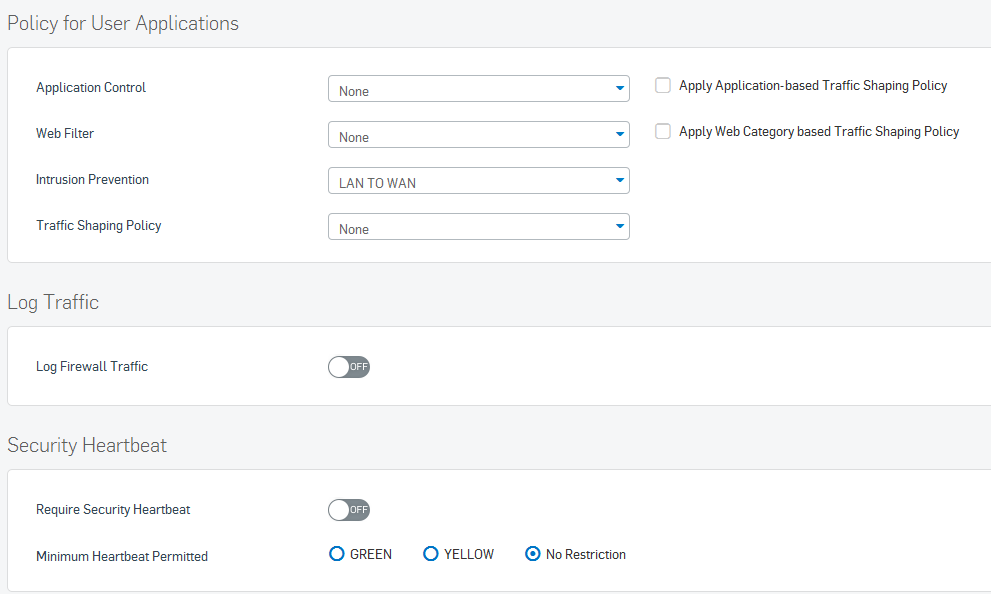
Policies:
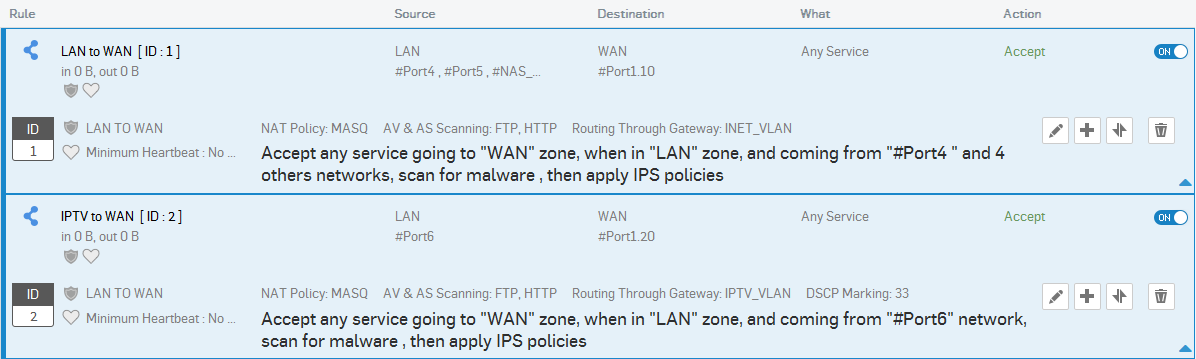
Policy ID 1:
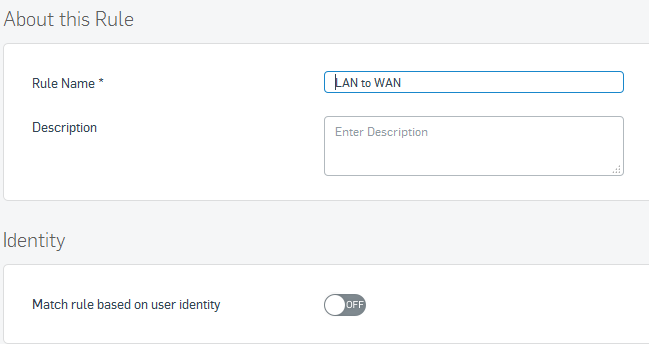
Policy ID 2:
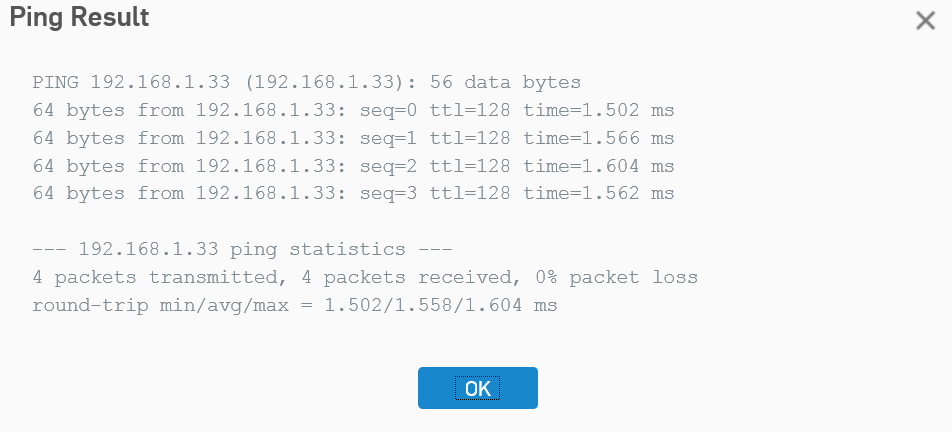
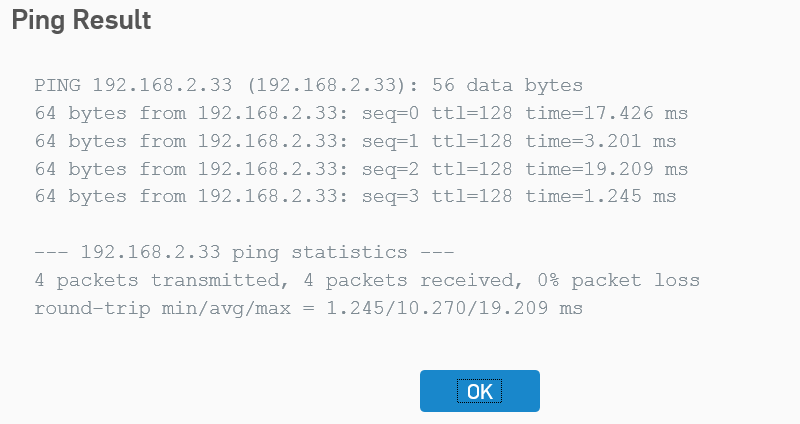
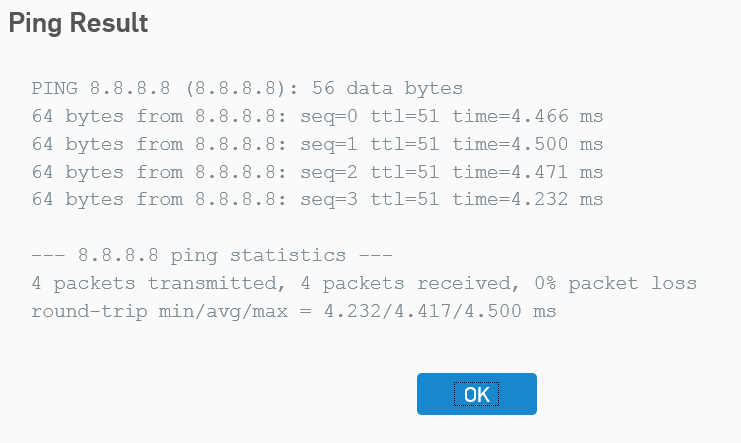
Ping and traceroute from XG:
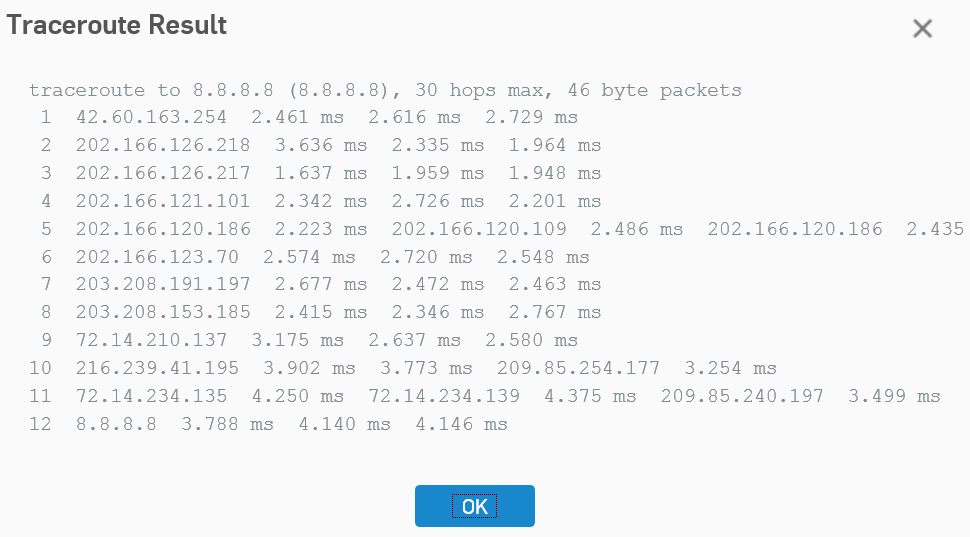
Ping and traceroute from PC connected to Port 4:
Pinging 192.168.1.16 with 32 bytes of data:
Reply from 192.168.1.16: bytes=32 time=1ms TTL=64
Reply from 192.168.1.16: bytes=32 time=2ms TTL=64
Reply from 192.168.1.16: bytes=32 time=1ms TTL=64
Reply from 192.168.1.16: bytes=32 time=1ms TTL=64

Ping statistics for 192.168.1.16:
    Packets: Sent = 4, Received = 4, Lost = 0 (0% loss),
Approximate round trip times in milli-seconds:
    Minimum = 1ms, Maximum = 2ms, Average = 1ms
Pinging 192.168.2.33 with 32 bytes of data:
Request timed out.
Request timed out.
Request timed out.
Request timed out.

Ping statistics for 192.168.2.33:
    Packets: Sent = 4, Received = 0, Lost = 4 (100% loss),
Pinging 8.8.8.8 with 32 bytes of data:
Request timed out.
Request timed out.
Request timed out.
Request timed out.

Ping statistics for 8.8.8.8:
    Packets: Sent = 4, Received = 0, Lost = 4 (100% loss),
Tracing route to 8.8.8.8 over a maximum of 30 hops

  1     1 ms     1 ms     1 ms  192.168.1.16
  2     *        *        *     Request timed out.
  3     *        *        *     Request timed out.
  4     *        *        *     Request timed out.
  5     *        *        *     Request timed out.
  6     *        *        *     Request timed out.
  7     *        *        *     Request timed out.
  8     *        *        *     Request timed out.
  9     *        *        *     Request timed out.
 10     *        *        *     Request timed out.
 11     *        *        *     Request timed out.
 12     *        *        *     Request timed out.
 13     *        *        *     Request timed out.
 14     *        *        *     Request timed out.
 15     *        *        *     Request timed out.
 16     *        *        *     Request timed out.
 17     *        *        *     Request timed out.
 18     *        *        *     Request timed out.
 19     *        *        *     Request timed out.
 20     *        *        *     Request timed out.
 21     *        *        *     Request timed out.
 22     *        *        *     Request timed out.
 23     *        *        *     Request timed out.
 24     *        *        *     Request timed out.
 25     *        *        *     Request timed out.
 26     *        *        *     Request timed out.
 27     *        *        *     Request timed out.
 28     *        *        *     Request timed out.
 29     *        *        *     Request timed out.
 30     *        *        *     Request timed out.

Trace complete.
Edited: Replace config text with screenshots of config and included ping and traceroute logs from PC.
This thread was automatically locked due to age.

