Hello all,
I am new in this Sophos community. So, first of all, hello everybody and thank you for your future help in resolving my issue. I have tried to find similar issues but I could not find them.
After working during 9 months with a Sophos XGS 136W in the office with a small network (12 pc's connected via wired network and 2 wifi connections) without any issue, we had a power shortcut and, after rebooting the sophos, it was not possible to use the network again.
The Sophos was working as router (I remove the router supplied by Vodafone and I connected to the ISP using PPPoE), as firewall and as DHCP server.
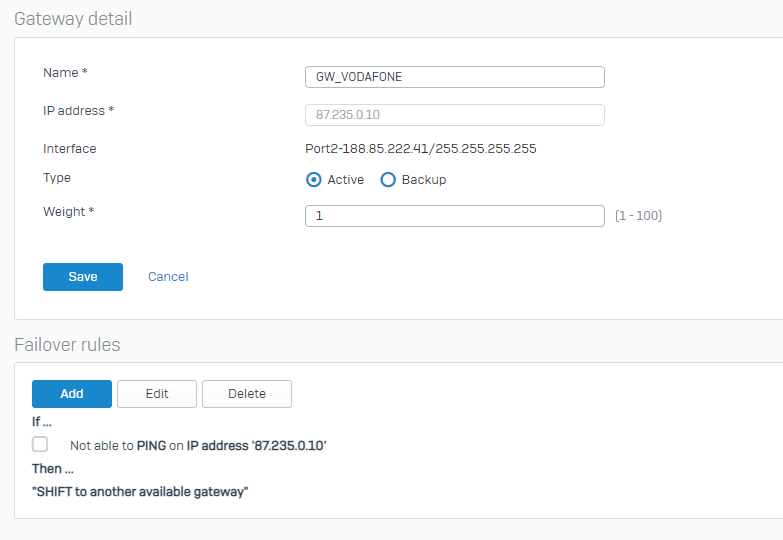
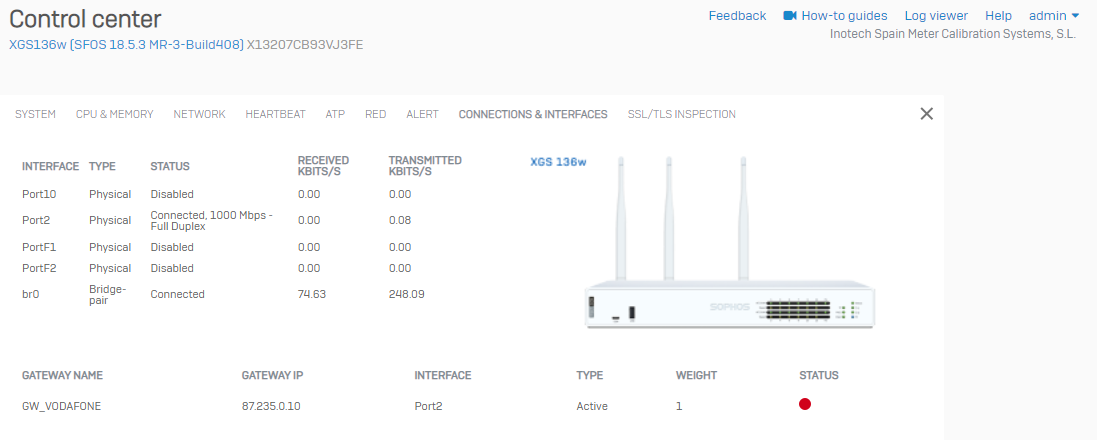
After rebooting, I see always a RED indicator in the gateway. See this image:
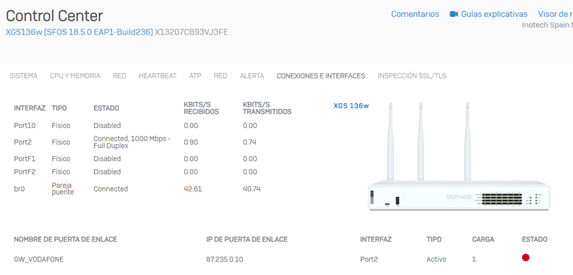
Do you know the meaning of this Red LED in the "State" of the connection?
I have tried to restore to a previous backup copy (done when everything was working) but without success. Sophos has also all the latest firmwares updates.
If I remove the Sophos and I reconnect the router supplied by Vodafone, the network is working properly. So, it does not seem a problem related to the external connection.
Thank you very much for your help.
Best regards,
Jordi Sans
This thread was automatically locked due to age.