This discussion has been locked.
You can no longer post new replies to this discussion. If you have a question you can start a new discussion

SFOS 19.0 almost bricked my XG230

Hi,

did a standard FW upgrade today during lunch....big mistake. The XG booted into failsafe mode and stayed there.

The garner service did not manage to start.

Did a factory reset, then loaded the configuration. Same thing.

After a bit of plundering i fired up the CLI and rebooted. Luckily the 18.5.3 was still there, the reset didn't wipe it, and i managed to restore order.

I should mentioned that all these operations took an extraordinarily long time.

I guess i'll be waiting around for the next maintenance release.


This thread was automatically locked due to age.

Top Replies

  • Hi Nikhil Patwa1:  Based on the current investigation below is the finding 

    If your device is using a configuration previously restored from a Cyberoam backup, and you have NOT regenerated the appliance certificate on SFOS, upgrading to SFOS v19 will result in operation in fail-safe mode.

    The appliance certificate generated in Cyberoam devices uses a weak signature algorithm (MD5) that is NOT supported for appliance certificates in SFOS v19.

    How to verify before upgrading:

    One may check the Signature Algorithm of the Appliance certificate by running the following command on the advanced shell:

    “openssl x509 -in /conf/certificate/ApplianceCertificate.pem -text -noout”

    If the output shows the signature algorithm as "md5WithRSAEncryption", Please DO NOT upgrade to v19 before regenerating the appliance certificate.

    Points need to be taken care of before Applying the workaround:

    Regenerating Appliance certificate results in remote users being unable to connect via VPN to the Sophos Firewall. Have the remote VPN user(s) re-download their client configuration package from the user portal to make it work. Or Restore the Sophos Firewall to a previous configuration backup taken prior to the Certificate renewal in the previous version. not in v19 to make it work as previously.

    Please refer to below advisory for more info:

    ADVISORY - Sophos Firewall: Appliance goes into failsafe mode when firmware upgrades to 19.0 GA with the reason "Unable to start logging daemon"

    support.sophos.com/.../KB-000044122

    Jump to answer
Parents
  • For the overview:
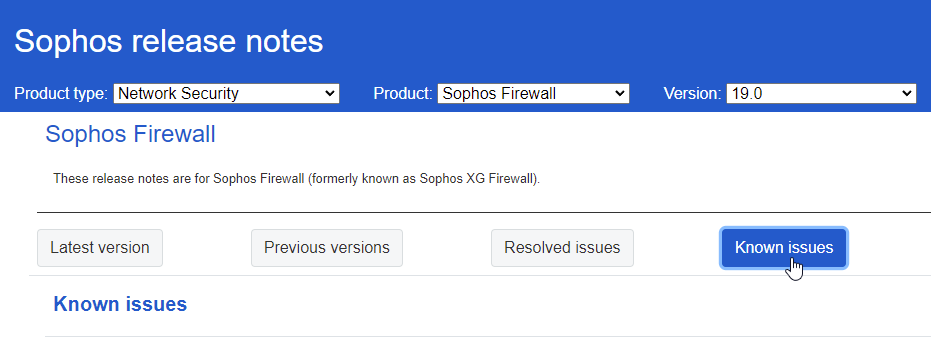
    There are currently two different Issues identified and under investigation. If any of those IDs matches your current behavior, please raise a Support Case and refer the matching Bug ID: 

    1. Fail-safe after upgrade. In this scenario, the firewall will not boot anymore and go into fail-safe. For More Information about Fail-safe: https://support.sophos.com/support/s/article/KB-000036375?language=en_US 
    The Bug ID: NC-93936

    2. Factory Default after Upgrade. In this scenario, the firewall will boot in factory default (172.16.16.16 IP). You can go back to the old firmware. You see an error in the /log/migration.log: ERROR(0x03): Failed to migrated config. Load default.
    The Bug ID:  NC-94337

    Both issues seems to occur under rare condition. 

    __________________________________________________________________________________________________________________

Reply
  • For the overview:
    There are currently two different Issues identified and under investigation. If any of those IDs matches your current behavior, please raise a Support Case and refer the matching Bug ID: 

    1. Fail-safe after upgrade. In this scenario, the firewall will not boot anymore and go into fail-safe. For More Information about Fail-safe: https://support.sophos.com/support/s/article/KB-000036375?language=en_US 
    The Bug ID: NC-93936

    2. Factory Default after Upgrade. In this scenario, the firewall will boot in factory default (172.16.16.16 IP). You can go back to the old firmware. You see an error in the /log/migration.log: ERROR(0x03): Failed to migrated config. Load default.
    The Bug ID:  NC-94337

    Both issues seems to occur under rare condition. 

    __________________________________________________________________________________________________________________

Children