
This discussion has been locked.
You can no longer post new replies to this discussion. If you have a question you can start a new discussion

How to check the passphrase of an exported private key

Hi,friends!

From version 18.5, the product no longer creates a private key when generating CSR and a passphrase cannot be set.
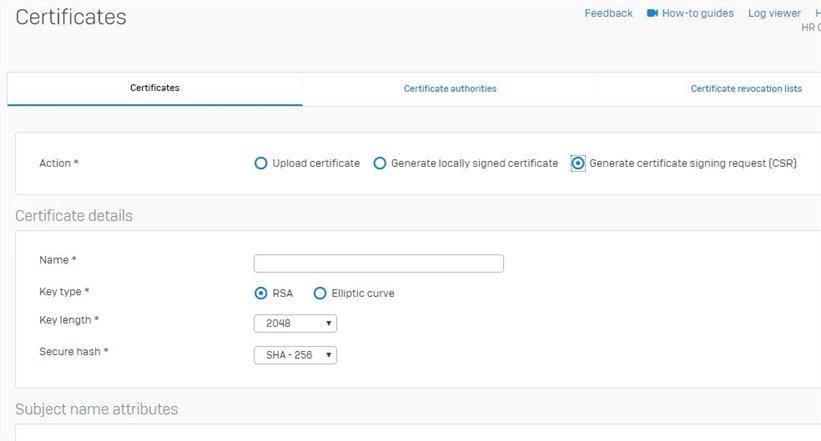
However, I was able to obtain the private key by the following method after CSR generation with this product.
System -> Backup & firmware -> Import export -> Export (Export full configuration)

I then added the SSL certificate issued from the generated CSR without setting a private key (since a private key cannot be set without a passphrase).

However, this certificate does not appear on the admin page and cannot be selected from the pull-down.
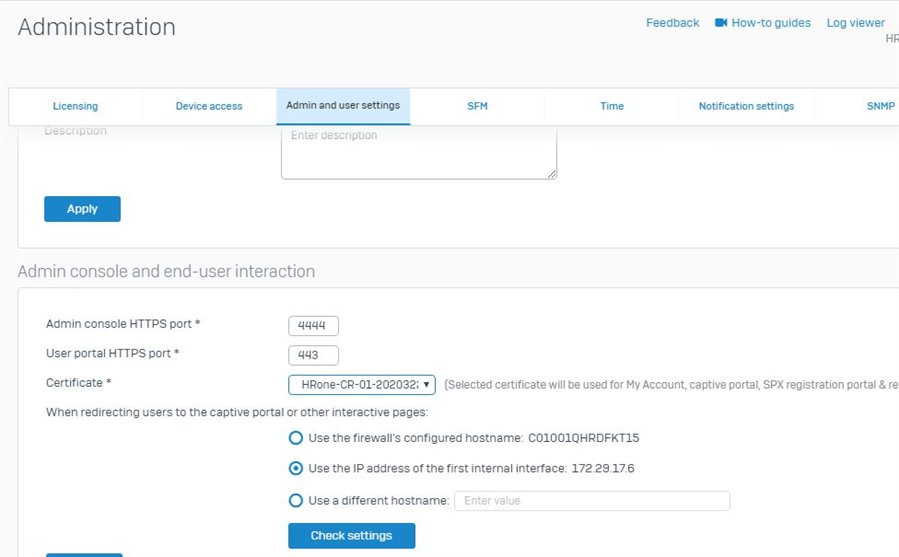
I'm guessing this is because you don't set the private key and its passphrase in the SSL certificate.
I am having trouble finding the passphrase.

Is there any way to verify this passphrase?

Any advice would be appreciated.


This thread was automatically locked due to age.

Top Replies

Parents Reply Children
  • Thanks for the reply!

    The private key is not absolutely necessary.
    I just can't select the certificate I added from the pull down in the following screen and would like to resolve this.

     Administration > Admin and User Settings > Admin console and end-user interaction

    We thought this might be caused by adding a certificate without setting a private key.

    As a result, I decided to set the private key and add the certificate, but I am having trouble finding the passphrase for the private key.

  • You can upload the PEM of the CSR on the right side of the CSR in SFOS. There is a import option. 

    __________________________________________________________________________________________________________________

  • Thanks for your reply!

    I was able to import the certificate without the private key and its passphrase using your procedure.
    I was also able to update to a new certificate using it.

    >SYSTEM
    >Administration
    >Admin console and end-user interaction
    >Certificate

    Thank you so much.

  • Hi, can you please let me know how to obtain passphrase to key file. We need  to convert it to PFX format and install on other systems. Its wildcard cert

  • It is disabled/Prevented to do this. 
    Why would you generate a certificate on a firewall? The firewall should not be your Certificate Authority. 

    __________________________________________________________________________________________________________________