
This discussion has been locked.
You can no longer post new replies to this discussion. If you have a question you can start a new discussion

QuickHA High Availability on Sophos XG230 SFOS 18.0.5 MR-5-Build586 cannot be establishedd

Hi everyone, 

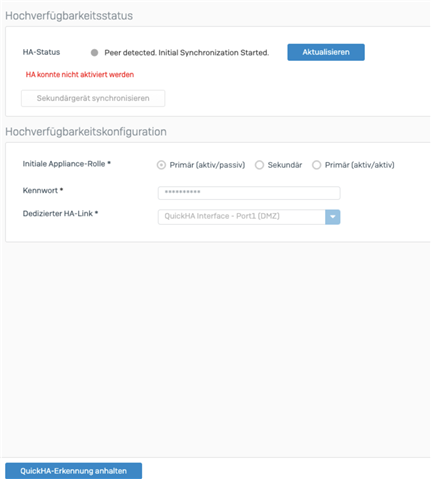
today we tried to connect our two XG230 to an active passive HA. First handshake should have worked but sync could not be completed. Error logs on the active device shows: 

May 18 18:05:10 HA cannot be configured when Interface Not In Administration Port List.May 18 18:05:10 ha: pollenableha: enableha failed

Webinterface page for HA shows:
The update as described here: 

https://community.sophos.com/sophos-xg-firewall/f/discussions/126273/quickha-high-availability-on-sophos-xg230-sfos-18-0-4-mr-4-cannot-be-established

and here: 

https://community.sophos.com/sophos-xg-firewall/f/discussions/125184/sophos-xg-330-ha-a-p-validation-failed-for-ha-interface-ip-error/458822#458822

has not helped. 


This thread was automatically locked due to age.

Top Replies

  • Sign in to the web admin console of the auxiliary Sophos Firewall from Port A, and go to Network > Interfaces. Make sure the IP address of Port A is in same subnet as Port A of primary Sophos Firewall.

    For example, if Port A of the primary node is 192.168.3.254/24, then Port A of the auxiliary node can be 192.168.3.253/24. However, it cannot be 172.16.16.16/24

    In this example, we will configure Port A as the peer administration port. So, Port A of the auxiliary node must be in same subnet as Port A of the primary node. If it isn't, Quick HA won't work, and the following error appears in /log/syslog.log on the primary node.

    Validation Failed For Ha interface IP.

    I would request you to double check this link: Quick HA Setup

    Jump to answer
Parents Reply Children
No Data