This discussion has been locked.
You can no longer post new replies to this discussion. If you have a question you can start a new discussion

Sophos XG issues with Insteon Hub

I have been using the UTM for years and recently upgraded to the XG due to my license count quickly approaching 50...

Everything has been fine on XG and I have even noticed much better performance, particularly wireless.

Reason for my post is I noticed that my Insteon Hub which controls my smart light switches and various other smart devices is unable to connect to it's cloud service. I did not have to create any rules previously in UTM and there are minimal entries in the XG log all being allowed so I am really at a loss here and hoping someone else has already encountered this.

Any help would be appreciated (I am running v18.0.3)


This thread was automatically locked due to age.

Top Replies

  • Hi,

    from what you are saying is that your UTM does not have any tight firewall rules.

    From your description of the logviewer issue indicates that your device is not matching any firewall rule. Did you review the logviewer web report?

    Ian

    Jump to answer
Parents
  • Do you have SSL/TLS inspection enabled? I'm referring to the toggle on/off "master" switch on the SSL/TLS inspection rules tab.

    I've found that with SSL/TLS inspection enabled, some of my IoT devices will not connect to their cloud service, despite the fact I have the device's cloud domain on the Local TLS exclusion list. This is something I've found very frustrating with Sophos XG and often very hard to troubleshoot.

    ---

    Sophos XG guides for home users: https://shred086.wordpress.com/

  • I have found that most IoT devices do not like decrypt and scan because you cannot install a CA on them.

    A suggestion try putting a small switch between your device and the other network devices.

    Ian

    XG115W - v19.5.1 mr-1 - Home

    If a post solves your question please use the 'Verify Answer' button.

  • Yeah, I'm not talking about enabling SSL/TLS inspection rules for an IoT device. Reference my post: "...despite the fact I have the device's cloud domain on the Local TLS exclusion list." I'm saying that simply enabling SSL/TLS inspection will break some IoT devices, even if those devices are excluded from decryption and scanning via exclusion rules. This is a known issue with one of my IoT devices that I can replicate 100% of the time that I created a thread for several months ago.

    Again, simply enabling SSL/TLS inspection breaks some IoT devices, even if you don't have any rules specified to decrypt and scan and/or have them on an exclusion rule. In other words, they are not being decrypted and scanned.

    ---

    Sophos XG guides for home users: https://shred086.wordpress.com/

  • For those that break I enable the web proxy even though they don't use it.

    Ian

    XG115W - v19.5.1 mr-1 - Home

    If a post solves your question please use the 'Verify Answer' button.

  • Thanks for the reply. Yes I have toggled the SSL/TLS inspection to OFF and the result is the same, I have played with every setting I can find under IPS as well and the only way I have been able to get it to allow the traffic is if I disable the IPS service which seems less then ideal.

  • Very odd, even if i set the IPS policy to none or make a new empty policy and apply it to the firewall rule traffic is still denied. only if I stop the IPS service does it start to work.

  • what is in the IPS logs? maybe packet flood. you cannot exclude packet flood by deselecting IPS Policy because it is global.

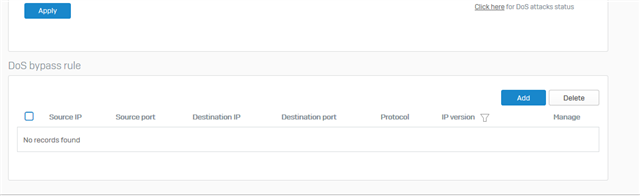
    if it is flood, enter hosts here:

  • there is only 1 entry in the IPS log over a 24 hour period and it is not relevant

Reply Children
No Data