This discussion has been locked.
You can no longer post new replies to this discussion. If you have a question you can start a new discussion

Sophos Connect Client loses connection

Hi everyone, I'm totally new to the Sophos topic.

We use a Sophos XG 135 with SFOS 17.5.14 MR-14-1 and the Sophos connect client for our home office employees. More and more of my colleagues are reporting connection problems. The colleagues work on a terminal server. a few times a day the Connect Client disguises the connection and thus also the terminal session. After reconnecting, it works again for a while.

The client log says that DPD cut the connection. Strangely, all colleagues dont lose the connection at the same time. 1 - 2 times throughout the day. I dont think its the internet connection in the HQ.

Since i´m new, i have to admit that i dont know exactly where to start looking.

Any tips or recommendations?


This thread was automatically locked due to age.

Top Replies

  • Hi Sebastian,

    When we switched to using SophosConnect for remote working we noticed the same thing, connections would die after 4-5 hours. It turned out that SophosConnect uses the IPSec policy named "Default Remote Access Policy". The IKE keylife was set at 4-5 hours, and since it's IKEv1 it won't recreate a key to connect unlike IKEv2. The workaround that was passed to us was to use a psql command to update that policy via command line.

    I can send that to you if you like. I won't post it here as I don't know if it's a supported workaround...

    Cheers,

    Robin

    Jump to answer
Parents
  • Hi @Sebastian

    can you please tell us about your connect client - is it using SSL VPN or IPSec? -> depends on where to find the log files.

    Do you have Dynamic DNS on your VPN Gateway FQDN or is it a static IP with static DNS?

    Do the clients connect with FQDN or IP?

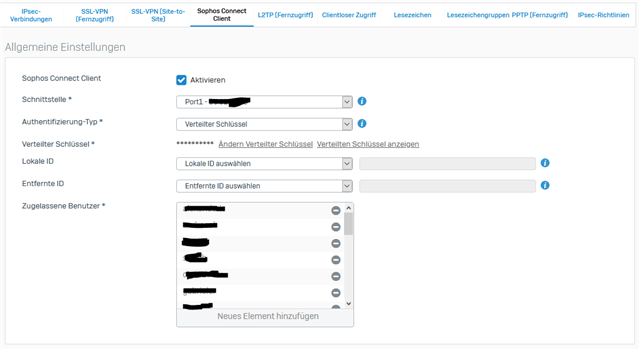
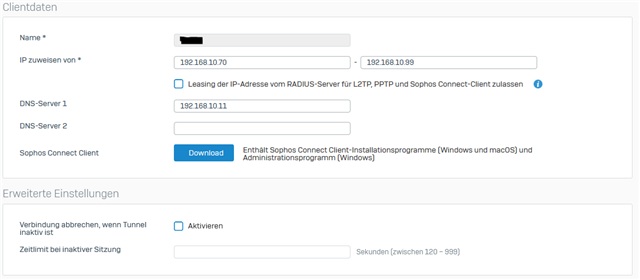
    Also a screenshot of your VPN Settings would be helpful.

Reply
  • Hi @Sebastian

    can you please tell us about your connect client - is it using SSL VPN or IPSec? -> depends on where to find the log files.

    Do you have Dynamic DNS on your VPN Gateway FQDN or is it a static IP with static DNS?

    Do the clients connect with FQDN or IP?

    Also a screenshot of your VPN Settings would be helpful.

Children