
This discussion has been locked.
You can no longer post new replies to this discussion. If you have a question you can start a new discussion

Firewall is not responding

Hello,

We have one small XG 106w Firewall , the Firewall has a strange issue , it is not responding every a few weeks untill we rebooted then it will work again for another  1-2 weeks. I have opened a Ticket with support and they did RMA. the new replacement now again started the same issue.

Is it normal to keep replacing the hardware every a few months ? what is causing the issue  ? 

Best regards,

Nidal
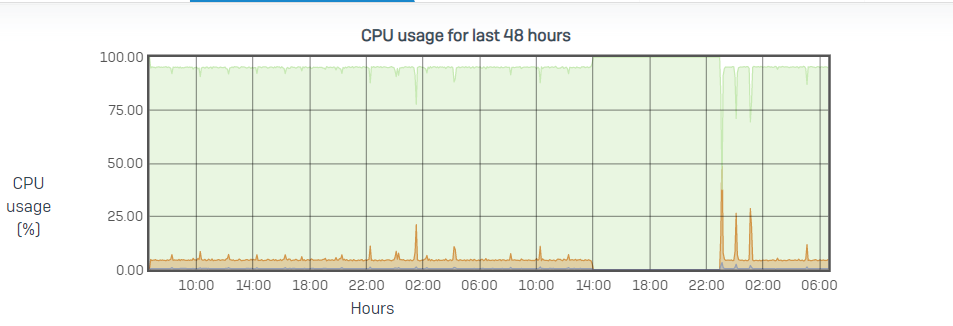
 worked fine around 6 months and


This thread was automatically locked due to age.

Top Replies

  • FormerMember
    FormerMember in reply to Xebato +1 suggested

    Hi Xebato,

    Thank you for the update; it appears that your issue is not related to the /tmp partition. 

    It could be firewall acceleration or bad cables. You have disabled the firewall acceleration and changed the power supply, requesting you to monitor this issue and update me on how it turns out for you. Also, if you can set up console logging as instructed via PM, that would be great. 

    Thanks,

    Jump to answer
Parents
  • Hi all,

    has this been resolved? We have the exact same problem with the exact same device and hw replacement does not solve it

    regards

    Endres

  • FormerMember
    0 FormerMember in reply to Endres Neumann

    Hi ,

    We disabled firewall acceleration, changed the power supply, and currently monitoring this issue.  will update this thread with more information.

    Thanks,

  • Thanks for the reply,

    there are a few hints I can give:

    1) we brought the device back from the customer in our own lab. It did show the same sympton with actually no traffic (besides a monitroing ping) on it. The time it took to stop working after a reboot varied unpredictable though  - from hours to days

    2) for customer satisfaction - until the problem is solved - we implemented  a virtual device and copied the exact config on it. This hyper-v machine is running stable  - it does have more memory and more disk though

    3) Changing the power supply didnt solve the problem neither on the original nor on the replacement device - we tried that

    Regards

    Endres

Reply
  • Thanks for the reply,

    there are a few hints I can give:

    1) we brought the device back from the customer in our own lab. It did show the same sympton with actually no traffic (besides a monitroing ping) on it. The time it took to stop working after a reboot varied unpredictable though  - from hours to days

    2) for customer satisfaction - until the problem is solved - we implemented  a virtual device and copied the exact config on it. This hyper-v machine is running stable  - it does have more memory and more disk though

    3) Changing the power supply didnt solve the problem neither on the original nor on the replacement device - we tried that

    Regards

    Endres

Children
No Data