
This discussion has been locked.
You can no longer post new replies to this discussion. If you have a question you can start a new discussion

Netflix not working despite - Knowledge base is wrong?

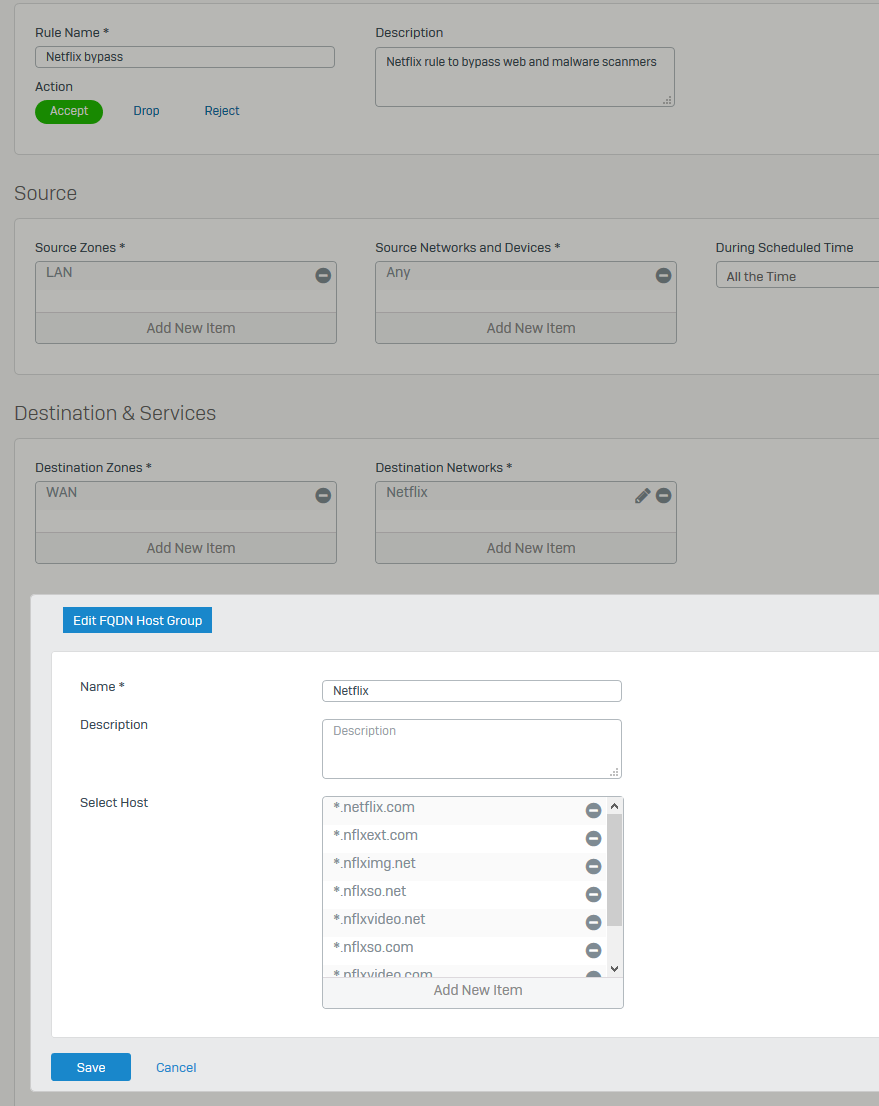
I have followed this  https://community.sophos.com/kb/en-us/125061

and still I can't get netflix to work, why? only works when I disable web scanning in the rule number 6


This thread was automatically locked due to age.
Parents Reply Children
  • Here it is, I have added more domains since it wasn't working


  • I am not able to stream Netflix as well. I have a new install (SFOS 17.1.3 MR-3) that has only one additional firewall rule beyond the defaults. That is the Netflix rule found in community.sophos.com/.../125061. I am trying to stream thru a Roku. I can select Netflix and enter the app with no problems. When I attempt to select a movie, it issues an error msg telling me to try later. Ditto for all Netflix movies I attempted to watch. My rule looks the same as above.


  • Can you check the logs and see what IP's / websites its hitting and add an exception or add to a higher FW rule?

    Check Web and Application.

    Sophos XG 450 (SFOS 18.5.1 MR-1)

    Sophos R.E.D 50 x 2

    Always configuring new stuff.....

  • Nevermind, I have no time to troubleshoot bugs that Sophos doesn't even care.

    I have excluded the TV's IPs from any web filtering, since the method described in the KB doesn't work.

    At least they should delete or update the Knoledge base article.

  • I would be glad to help out with this problem as long as the folks from Sophos will assist me over the phone. I am a total noob with XG Firewall, having just loaded the software this week. As soon as I ran into this problem I just returned to Untangle and continued to watch Netflix. I can be available most any time.

  • I got the same error message here.


    Since v17 I use the "netflix" FQDN object. With version 17 to 17.1 it works. But since 17.5 there are sometimes problems. 

    For 2 days it worked with the firewall rule "netflix". So sometimes it works, sometimes not. Seems to depend on coincidence.


    I think there are some new streaming servers not adressed in the netlix FQDN object, so i think the objects needs to be updated. [^o)]

  • Would be nice to find any reference on changed objects. Maybe you find something on the netflix page? OR in the logviewer? 

    __________________________________________________________________________________________________________________

  • I filtered the log using my ROKU IP address and then exported it to a CSV file. When I attempted to insert the CSV file into this post, I received an error. No explanation, just the work ERROR.

  • Please try drag and drop.

    Ian

    XG115W - v19.5.1 mr-1 - Home

    If a post solves your question please use the 'Verify Answer' button.

  • Hi,


    yesterday i got some time to look in the logviewer. There are several ip-adresses being scanned by the proxy. (Allowed)

    So i added a new IP-Host object "Netflix-IPs". Type: IP-List

    I put in the following ips: 45.57.74.131, 45.57.78.136,45.57.78.141,45.57.75.172,45.57.74.157,45.57.75.175

    Then I put the "Netflix-IP" object in my "Netflix" (same like in the Sophos KB) rule. After that, the movie streaming works. But only for one movie...

    For another movie i had to put in some more adresses... Maybe i should try to exclude an ip-range. [:)]