This discussion has been locked.
You can no longer post new replies to this discussion. If you have a question you can start a new discussion

High CPU Usage on Windows Server while Windows Update installing

Hello Sophos Community,

my name is David Lorenz and I am a it service provider with many customers. Our customers use Windows Server 2016 and 2019 as a virtual VMware machine.

They use Intercept X Advanced with XDR for Server or Intercept X Essentials.

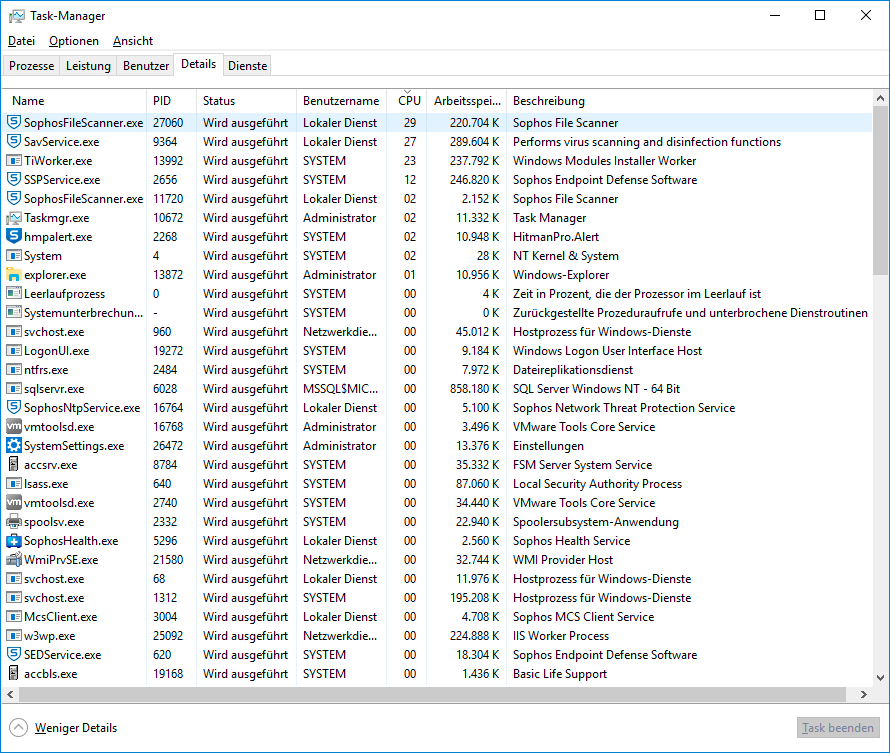
Montly we install Windows Updates on our customers servers. The problem is that the installation need so much time because of running sophos services with extrem high cpu usage while Windows Update installation process.
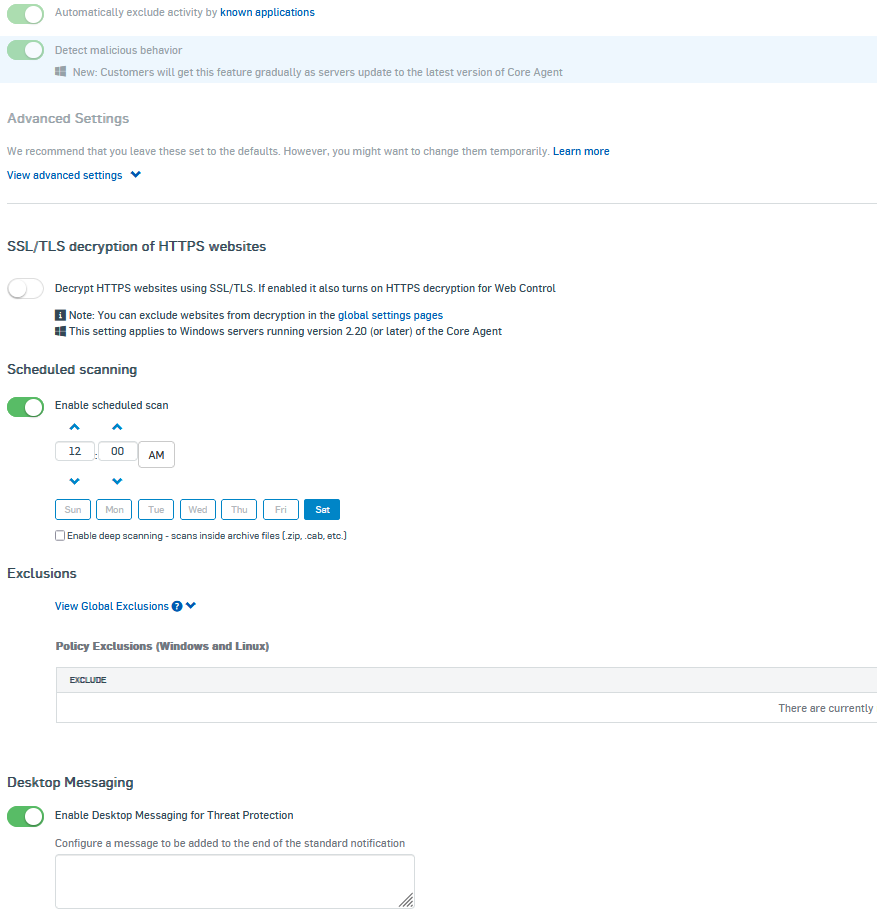
Thats the policy configuration:

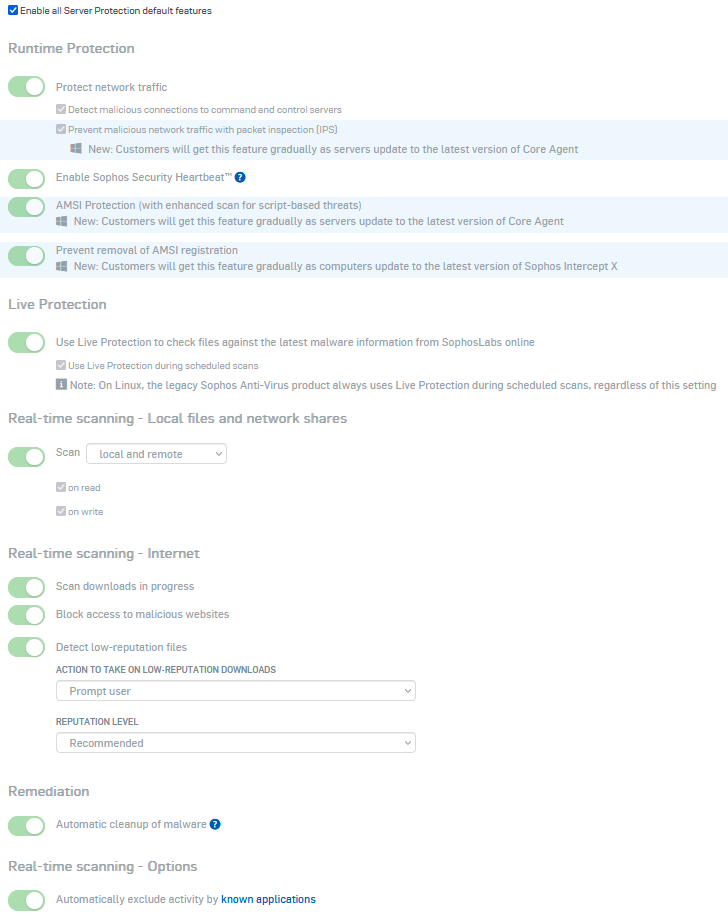
Do you have a idea what we can do for our customers? Many thanks in advance.

PS. i have already researched on the internet


This thread was automatically locked due to age.

Top Replies

  • FormerMember
    FormerMember in reply to David Lorenz +1 suggested

    Hi David,

    I just ended my shift and currently don't have access on a windows 2016 server. Here's my first suggestion/example:

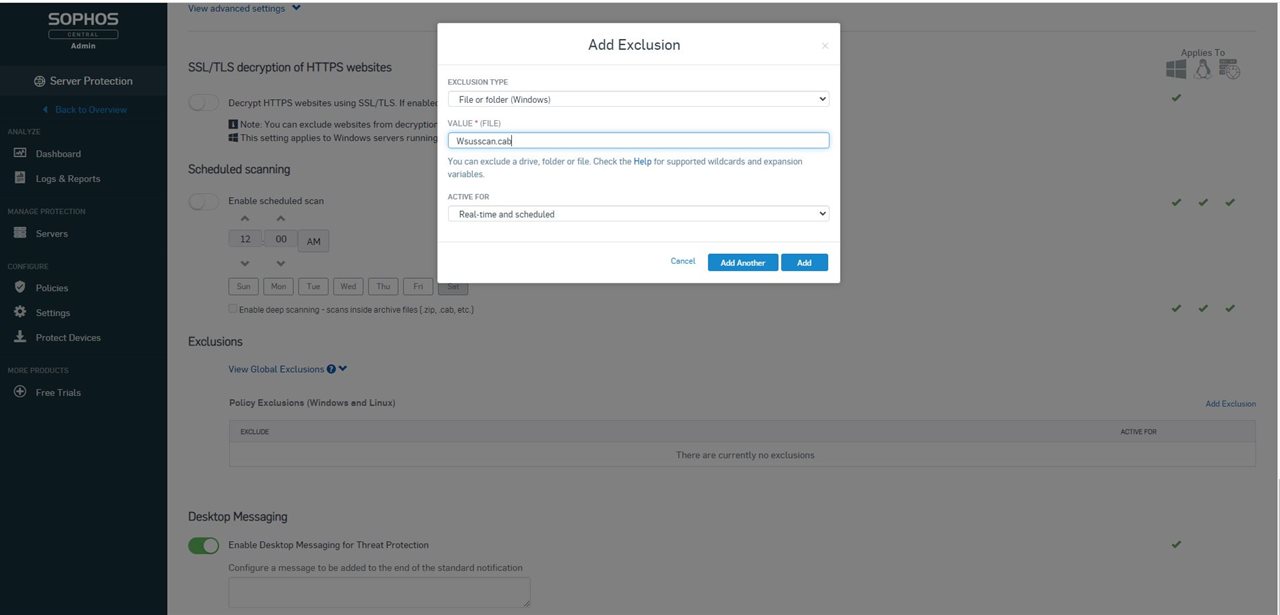
    Exclude Wsusscan.cab and Wsusscn2.cab via file exclusion:

    -> it means sophos won't scan any files named Wsusscan.cab and Wsusscn2.cab anymore. You can do this in your sophos central>global settings>global exclusion OR by going in server protection>policies>threat protection policy.

    The other thing I highly recommend is search where those 2 files are located then put scanning exclusion on their location.

    Example: if the files are inside C:\test folder

    Then do exclusion like this in files and folder exclusion: C:\test\

    Regards,

    Fernan Tutor

    Jump to answer
Parents Reply
  • There is a file integrity policy, If you create a new one of those and assign just a test computer to it and disable it.  When the client gets the policy it will change the FIM value to 0.

    As for CORE, you could do the same with a threat protection policy, i.e. create a new Threat Protection policy and link the test server.  If you edit that policy, there is an advanced section.  If you expand that there is Event logging option.  If you disable that, when the computer gets the policy, the CORE value will set to 0.

    At this point all 4 should be 0 and journal recording will be off.  If you can test an update for performance in this scenario it would be interesting. 

Children