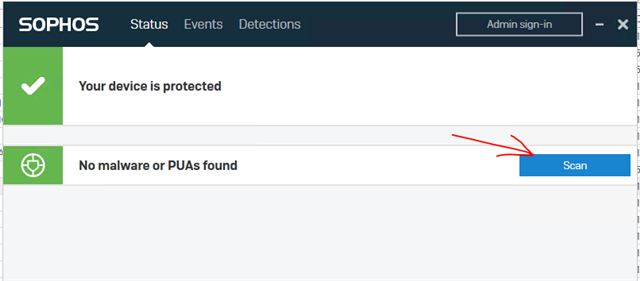
I have sophos endpoint protection with intercept X and I got an email that I got an infected pagefile.sys in volume shadow copy 4 and 5 (might be another one I forgot)
Path: \\.\GLOBALROOT\Device\HarddiskVolumeShadowCopy5\pagefile.sys
What was detected: Troj/Badsrc-M
User associated with device: n/a
How severe it is: High
What Sophos has done so far: We attempted to clean up (unless the threat is on a Linux computer).
What you need to do: In the Sophos Central Admin console, go to the Alerts page and find the threat alert. Click on the threat name to see details and cleanup advice on the Sophos website. Then go to the affected computer and clean up the threat manually.
Path: \\.\GLOBALROOT\Device\HarddiskVolumeShadowCopy4\pagefile.sys
What was detected: Troj/Badsrc-M
User associated with device: n/a
How severe it is: High
What Sophos has done so far: We attempted to clean up (unless the threat is on a Linux computer).
What you need to do: In the Sophos Central Admin console, go to the Alerts page and find the threat alert. Click on the threat name to see details and cleanup advice on the Sophos website. Then go to the affected computer and clean up the threat manually.
I checked rightclick c:\ configure shadow copies however they are disabled
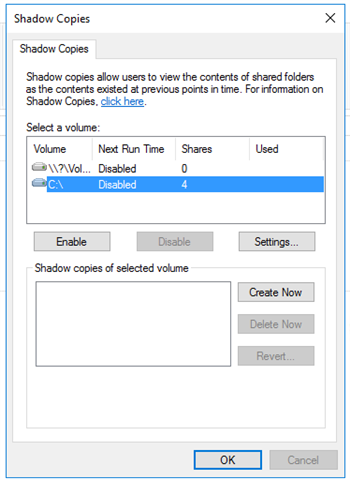
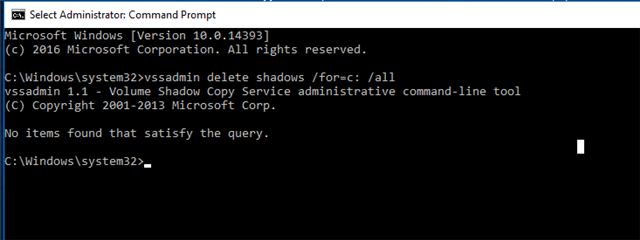
Also on the internet I found a command to delete them however it didnt't find anything
Also tried clearing page file at shutdown

Any ideas ?
This thread was automatically locked due to age.