
This discussion has been locked.
You can no longer post new replies to this discussion. If you have a question you can start a new discussion

Does the Sophos XG lack PVID-assignment functionality !?

After having messed around with the webgui of Sophos XG (Home) on the HP T620 Plus & Intel I340-T4 NIC for a while, I have came to the conclusion that Sophos XG's VLAN feature set lacks the ability to assign PVID on the ports of the I340-T4. Having looked through some network maps of the troubleshooting posts here on the Sophos XG Forum, I found that most if not all of the working layouts consist of at least 1 802.1Q-compatible managed switch being connected to a VLAN interface of the XG via an RJ45 port. Only then that endpoint devices can be recognised and connected to the XG's network. Some example layouts can look like this :
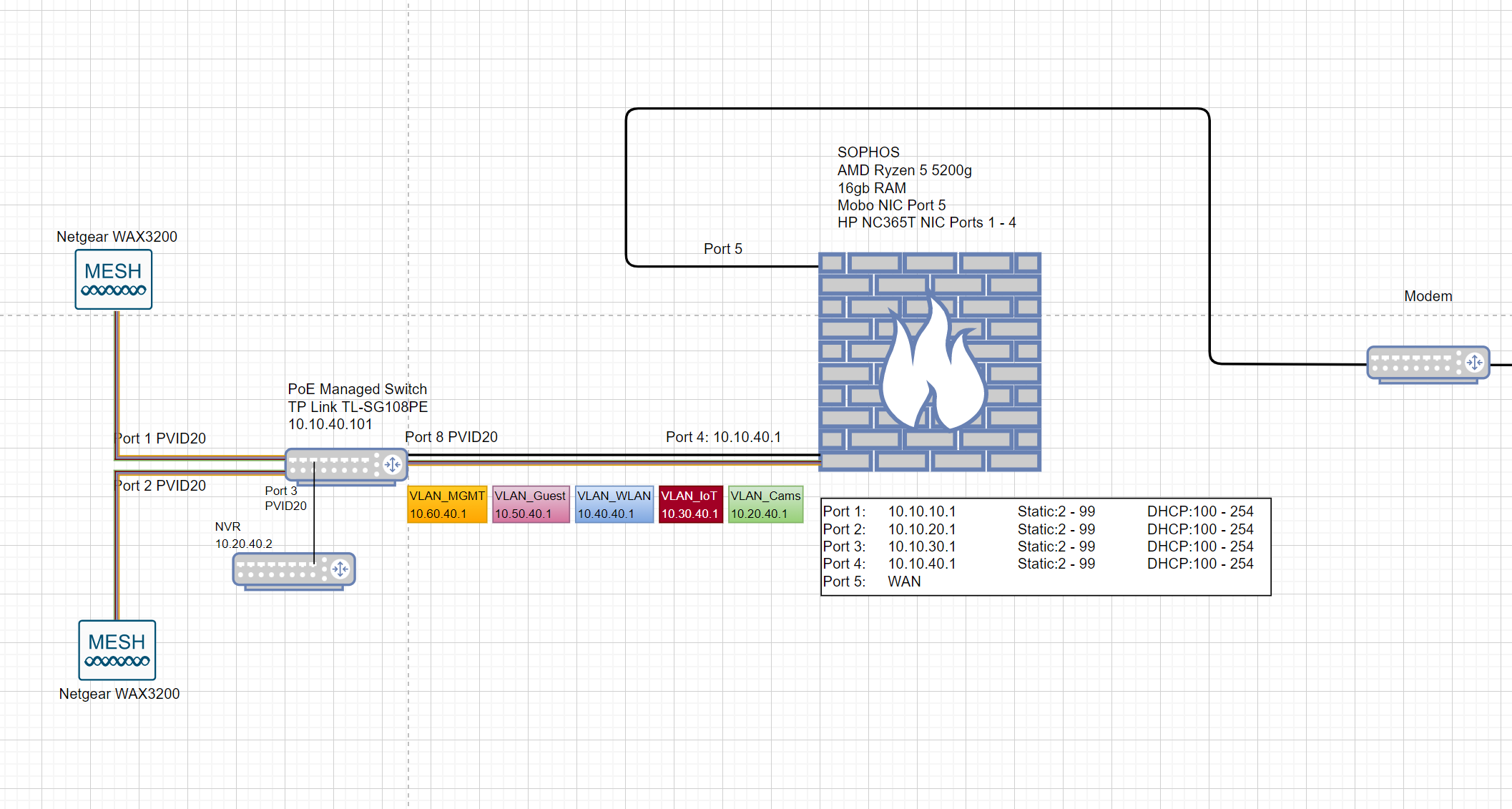
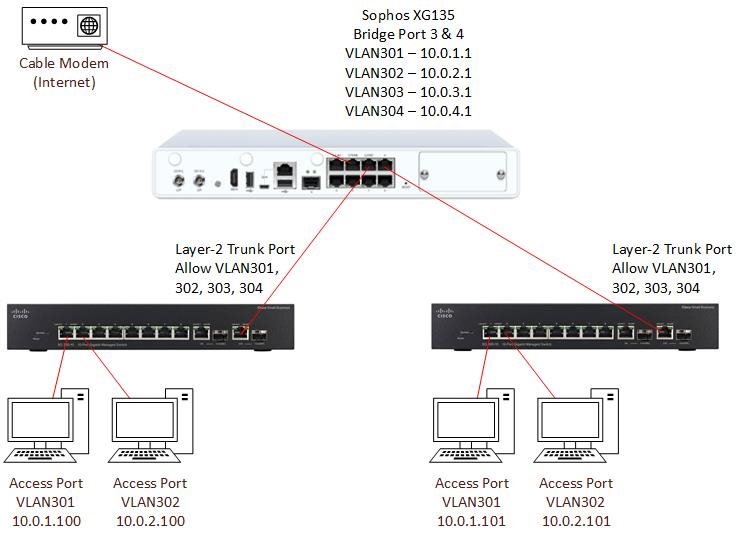
Hence the conclusion. If this is true, then I believe that this is an Achilles Heel of the XG when compared to other router solutions, e.g. Ubiquiti's EdgeOS, which allows assigning PVID on every one of the router's LAN port:
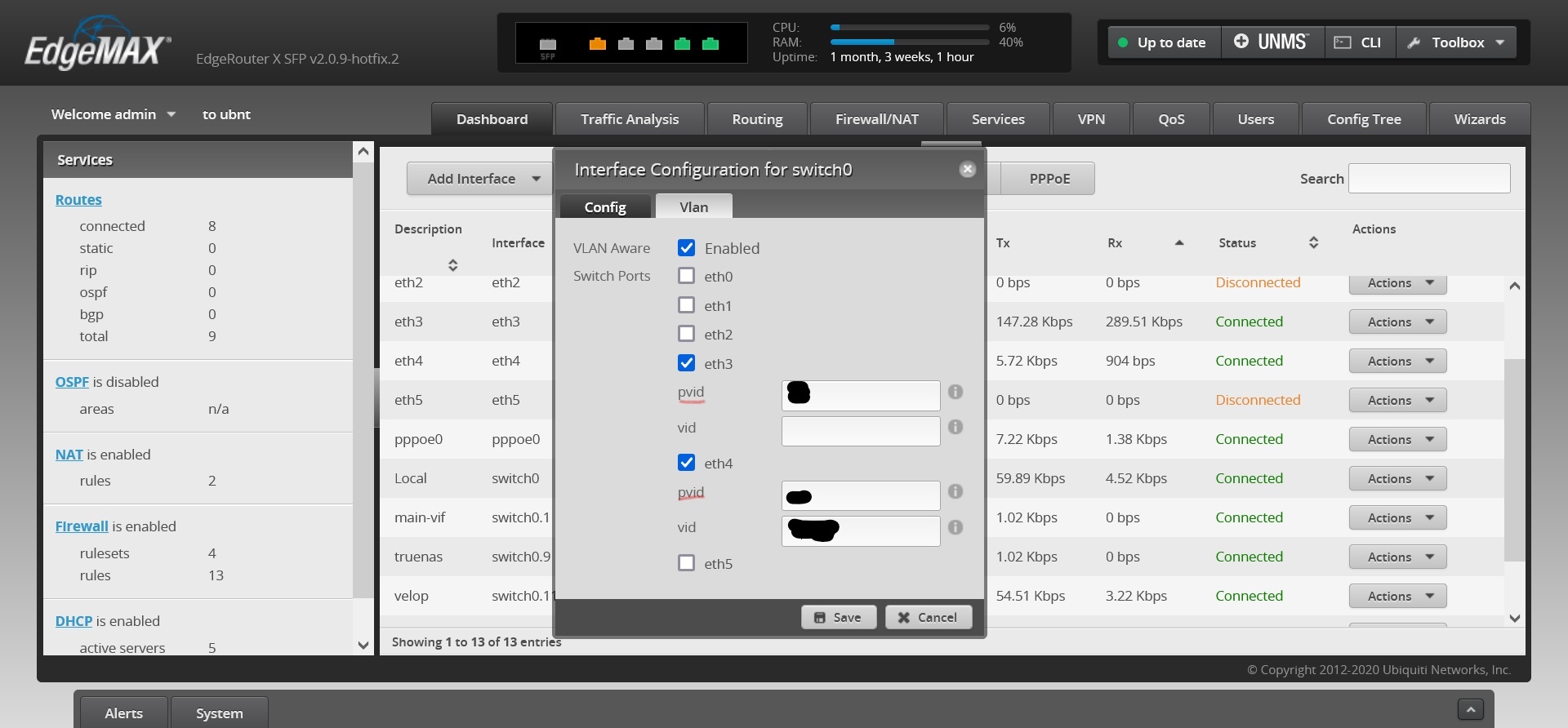
I don't believe that adding the PVID functionality into the Sophos XG will cannibalise the sale of Sophos' managed switches, as Ubiquiti sell both their routers & managed switches very well.

Article on PVID: docs.oracle.com/.../index.html

Does Sophos plan to add this PVID functionality to its XG line of product later on or can I raise a feature request ?


This thread was automatically locked due to age.

Top Replies

  • Hi J

    I don't know if I completely understood your requirement, But I think this would be a workaround for your problem:

    - Create a bridge interface with that specific interface ( You will need to add another interface to bridge even if you don't need it. You should have spare interface )

    - Make sure "Enable routing on this bridge pair" is activated on bridge interface configuration so you could use bridge interface as routed interface.

    - On CLI, select 4.device console and use "system vlan-tag set interface" command to set a vlan tag for bridge interface.

    Jump to answer
  • V19.5 is something, which is already in the works. And this request is rarely asked. So i am not sure if this will "ever" come into the product. The best solution could be to simply "not using VLAN11". Because why should you use VLAN11? Is VLAN11 used anywhere else? Because you could connect the network of eth3 without VLAN and a Bridge. Look at this as a own Network with own Zone. Because in the End, if VLAN11 exists, it is a own network. 

    __________________________________________________________________________________________________________________

  • He would be better off spending a little money and buying an 8 port version of the switch he is using. Then his network would not need to be some complex,

    ian

    XG115W - v19.5.1 mr-1 - Home

    If a post solves your question please use the 'Verify Answer' button.

  • A good (no knockoffs, no TP-Link, Huawei, etc.) 8-port managed switch is not cheap. Implementing PVID functionality in to the XG will ensure that every wireless AP can work with it, regardless of its 802.1Q compatibility.

  • Firstly, I don't have VLAN ID 19, so I don't understand what are you talking about.

    Secondly, the problem is my Linksys Velop wifi AP is not 802.1Q compatible, therefore it needs PVID funcationality built into XG for it to work. I can not just plug it into the VLAN 11 on Port 3 then.

  • Sorry, my mistake. I meant vlan 11. 

    In this case I think you should use netgear switch to connect wifi network to XG