


We have a Doorbird-doorbell behind our Sophos XG Firewall with Firmware....
I also read these articles:
https://community.sophos.com/sophos-xg-firewall/f/discussions/125260/doorbird-connected-to-sophos-xg
The article says using SSL/TLS-Decryption this is the solution but I tried it and it doesn't work, too: https://community.sophos.com/sophos-xg-firewall/f/discussions/124615/how-to-unblock-ring-doorbell-app-when-sophos-xg-is-using-ssl-tls-decryption
So here is another article with the same problem and also no solution:
I posted the details in the article above but I am afraid nobody see it in the discussion. So I open this new question.
Here is my summary:
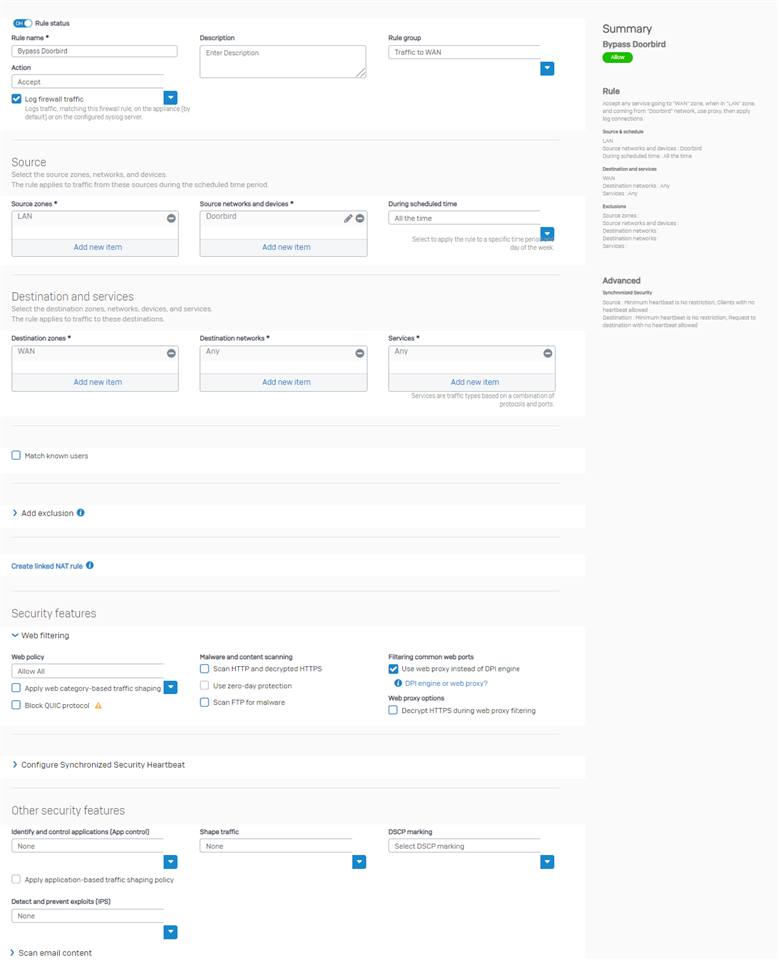
Have the same rule as described here https://community.sophos.com/sophos-xg-firewall/f/discussions/128958/doorbird-connected-to-sophos-xg-with-no-external-access/473281?focus=true#473279:
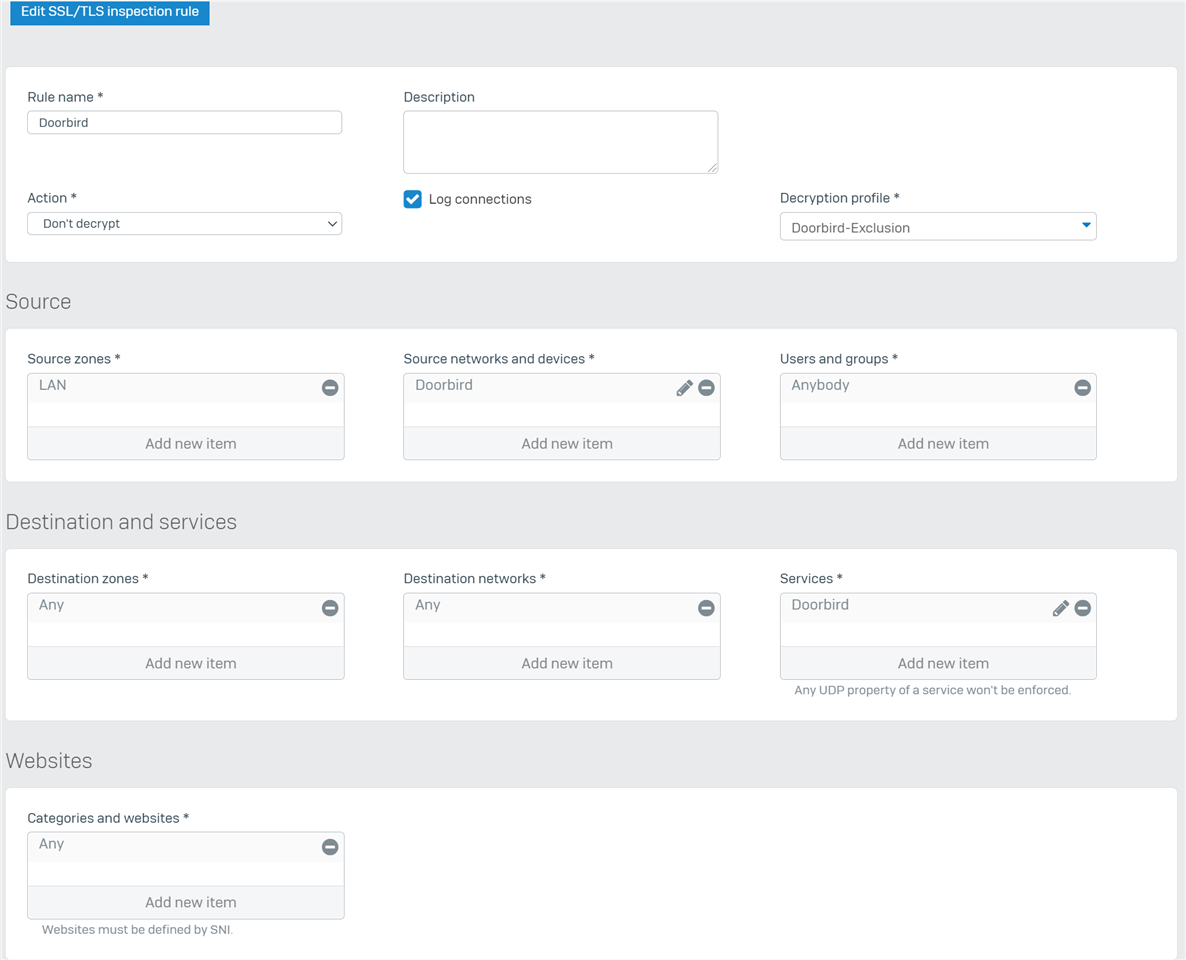
Additional I added an SSL/TLS Inspection-Rule as described here https://community.sophos.com/sophos-xg-firewall/f/discussions/124615/how-to-unblock-ring-doorbell-app-when-sophos-xg-is-using-ssl-tls-decryption:
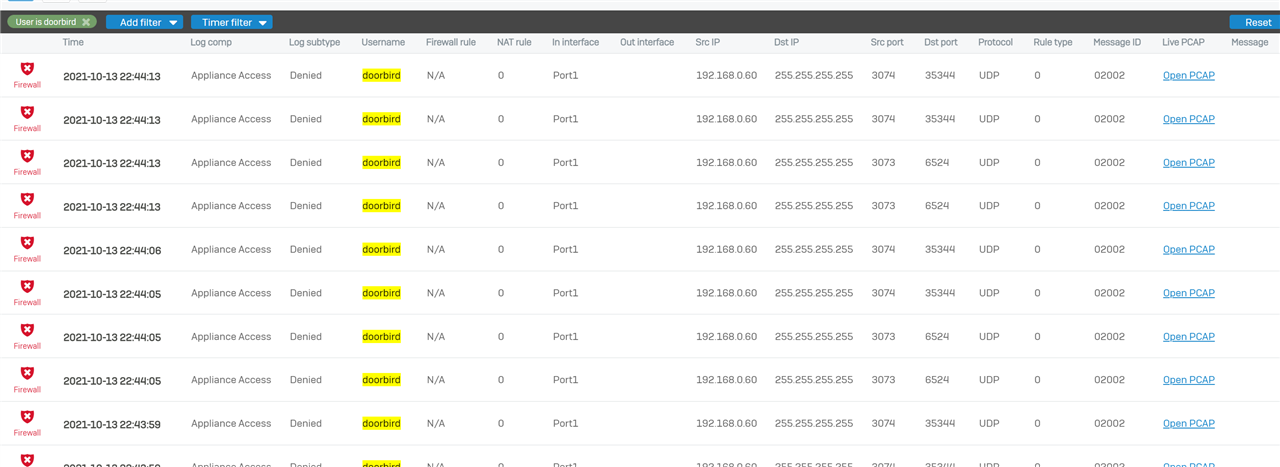
But I see a lot of errors in the log:
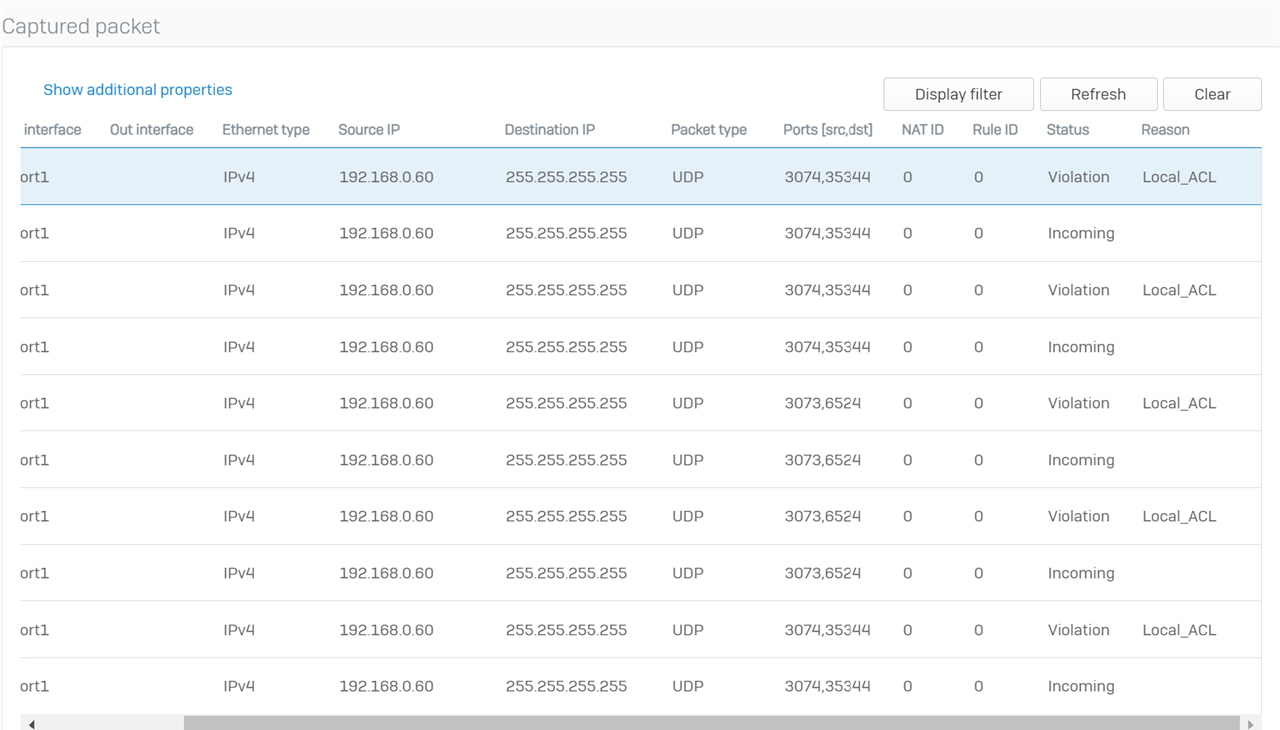
And I also see this in capturing mode - the Local-ACL-violation is strange. Tried this Question to help but I don`t understand a solution:
https://community.sophos.com/sophos-xg-firewall/f/discussions/102533/local_acl
This is the detail-view:
| Ethernet header |
| Source MAC address:1c:ca:e3:7b:0c:8e |
| Destination MAC address: ff:ff:ff:ff:ff:ff |
| Ethernet type IPv4 (0x800) |
| IPv4 Header |
| Source IP address:192.168.0.60 |
| Destination IP address:255.255.255.255 |
| Protocol: UDP |
| Header:20 Bytes |
| Type of service: 0 |
| Total length: 49 Bytes |
| Identification:0 |
| Fragment offset:16384 |
| Time to live: 64 |
| Checksum: 31192 |
| UDP Header: |
| Source port:3074 |
| Destination port: 35344 |
| Length: 29 |
| Checksum: 47622 |
So I don't know what to do. I changed the doorbird hardware but with the new part it's still the same problem. So I think it's an FW-Error.
Please - is there anyone with a solution?
I couldn't find it in the other questions. A lot of people describe the same problem but nobody has an answer.
David
This thread was automatically locked due to age.

