|
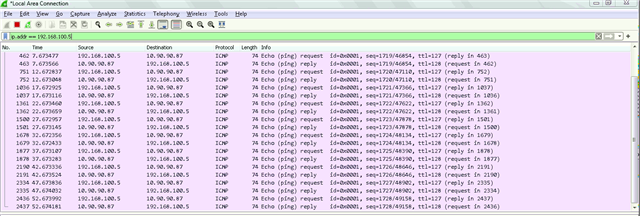
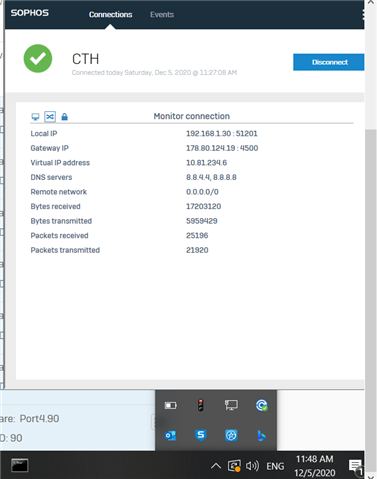
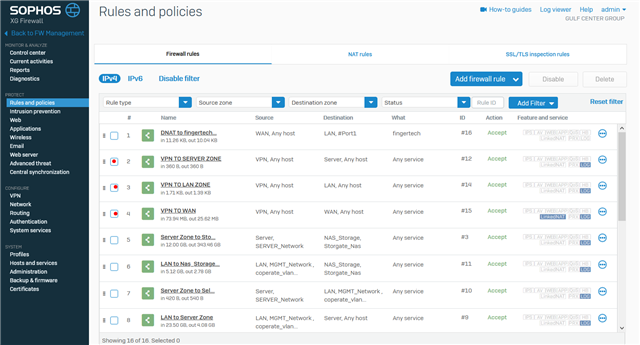
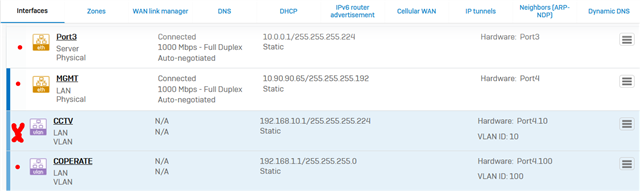
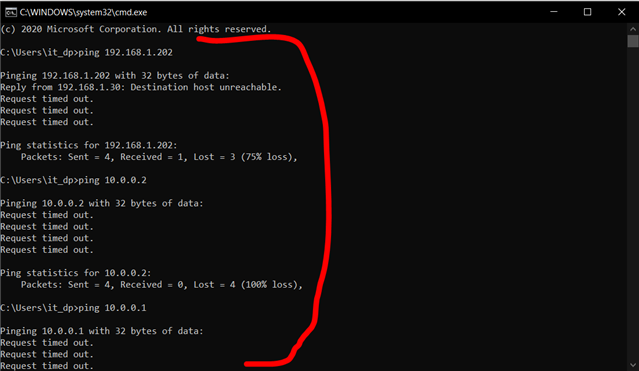
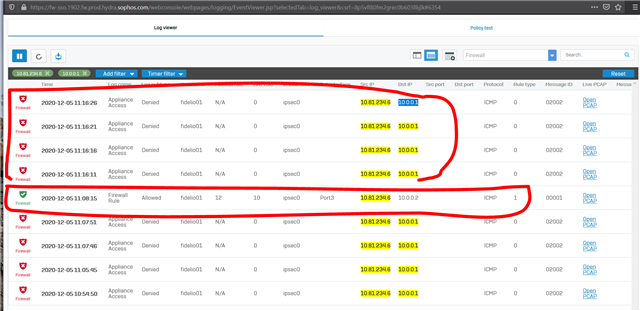
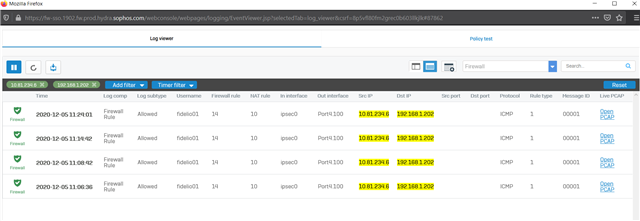
Dear All My selft RENJITH , System supports at contracting Recently we implemented sophos XG125 (SFOS 18.0.3 MR-3) on our hotel. I configured sophos connect client in order to access the hotel internal network and our PMS network from our head office. I can connect the sophos connect client without any issue but after connecting i cant able to ping or access my hotel internal network from my head office. The hotel internal network on LAN Zone VLAN4.100 192.168.1.0/24 on Port#4 Hotel PMS network on SERVER Zone 10.0.0.1/255.255.255.224 on Port#3 I have attached the screen shots please verify and please support me to solve the issue
10.90.90.65/255.255.255.192 managment ip on Port#4 LAN ZONE All vlans under Port#4 192.168.1.0/24 Coperate VLAN4.100 ON port#4 LAN Zone 192.168.1.202 Host device in coperate vlan (fingertech device) 10.0.0.1/255.255.255.224 SERVER ZONE Interface ip 10.0.0.2/255.255.255.224 PMS FIDELIO SERVER I need to connect managment, coperate vlan and server zone Thank You RENJITH.K |
This thread was automatically locked due to age.